iPad Pro: Premium Tablet for Creative Professionals
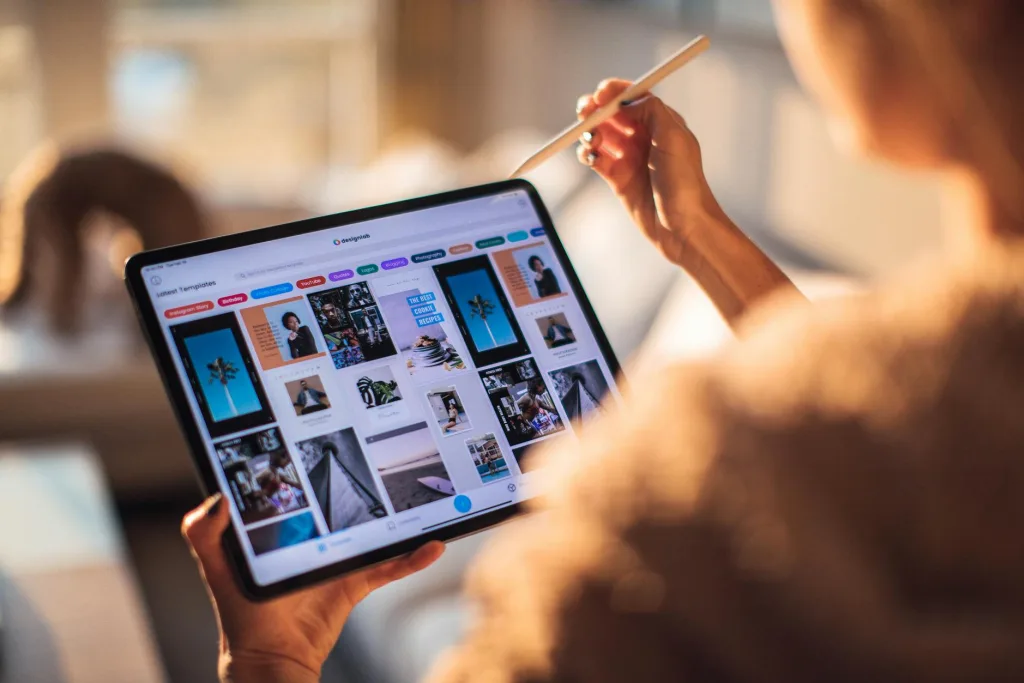
If you're a creative professional in New Zealand looking for a tablet that can handle demanding work, the iPad Pro with the M5 chip might be exactly what you need. Whether you're editing videos, desig...
The Lifetimes NZ editorial team curates, fact-checks, and updates guides on personal finance, property, health, immigration, legal, business, and lifestyle topics relevant to Lifetimes NZ readers. Articles are produced with AI assistance and reviewed by the editorial team before publication.
If you're a creative professional in New Zealand looking for a tablet that can handle demanding work, the iPad Pro with the M5 chip might be exactly what you need. Whether you're editing videos, designing graphics, or managing complex projects on the go, this powerful device delivers the performance and portability that serious creators demand.
What Makes the iPad Pro Stand Out
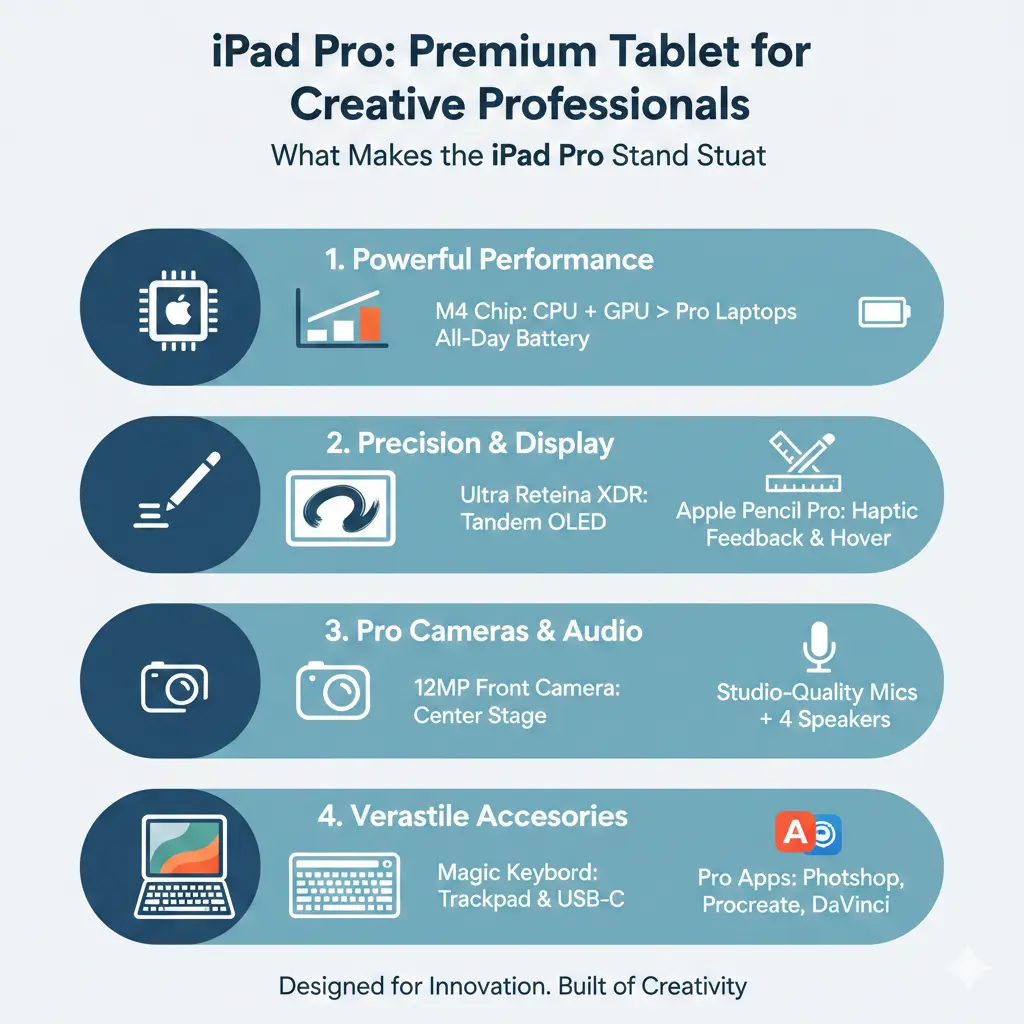
The latest iPad Pro represents a significant leap forward in tablet technology. At its heart is the M5 chip, which brings dramatic improvements over previous generations. The device features over 150GB/s of unified memory bandwidth — a nearly 30 percent increase compared to the previous generation — allowing you to multitask across more apps, process AI models faster, and handle demanding creative workflows.
Available in 11-inch and 13-inch sizes, the iPad Pro comes in space black and silver finishes. Both models are remarkably thin and light: the 11-inch model measures just 5.3 mm, whilst the 13-inch is even more compact at 5.1 mm. This portability makes it ideal for Kiwi creatives who work across multiple locations — from studio to client meetings to on-site shoots.
Display Technology That Impresses
The Ultra Retina XDR display is where the iPad Pro truly shines for creative work. This groundbreaking tandem OLED technology delivers extreme brightness and incredibly precise contrast, which matters tremendously when you're colour-grading footage or working with detailed design elements.
The display specifications are impressive:
- 11-inch model: 2420-by-1668-pixel resolution at 264 ppi
- 13-inch model: 2752-by-2064-pixel resolution at 264 ppi
- 1000 nits of full-screen brightness for SDR and HDR content
- 1600 nits peak brightness for HDR
- ProMotion technology with adaptive refresh rates from 10Hz to 120Hz
For New Zealand video editors and motion designers, the ProMotion display ensures smooth playback and responsive interaction, whilst the brightness levels mean you can work comfortably even in bright natural light — crucial for those working outdoors or in studios with large windows.
Performance and Memory Upgrades
The M5 chip comes in different configurations depending on your storage choice. The 256GB and 512GB models feature a 9-core CPU with 3 performance cores and 6 efficiency cores, along with 12GB of unified memory — 50 percent more than the previous generation. If you opt for 1TB or 2TB storage, you'll get a 10-core CPU with 4 performance cores and 6 efficiency cores, plus 16GB of RAM.
All models include a 10-core GPU and 16-core Neural Engine, with hardware-accelerated ray tracing for gaming and 3D applications. The faster storage delivers up to 2x faster read and write speeds compared to earlier models, which means quicker file transfers and smoother project loading times.
Creative Features for Professionals
Beyond raw power, the iPad Pro includes several features designed specifically for creative work:
External Display Support
The new iPad Pro can drive external displays at up to 120Hz, ideal for video editing and gaming workflows. It also supports Adaptive Sync for 120Hz external displays, providing the lowest possible latency and smoother motion — particularly useful for gaming and real-time creative applications.
Fast Charging
Time is money for creative professionals. The iPad Pro now supports fast charge, enabling up to a 50 percent charge in around 30 minutes. This means less downtime between shoots or client calls.
Apple Pencil Pro Support
The iPad Pro supports Apple Pencil Pro and Apple Pencil (USB-C), with Apple Pencil hover functionality. For illustrators, designers, and digital artists in New Zealand, this precision input method is essential for detailed work.
Advanced Cameras
The 12MP Wide camera with ƒ/1.8 aperture, five-element lens, and adaptive True Tone flash supports 4K video recording and ProRes format. For content creators who use their iPad for video capture, these capabilities are genuinely professional-grade.
iPadOS 26 and Multitasking
The iPad Pro runs iPadOS, which has evolved significantly. With iPadOS 26, the new windowing system enables more seamless multitasking, enhancing even the most complex workflows. For New Zealand professionals juggling multiple projects, client communications, and creative applications simultaneously, this improved multitasking is genuinely useful.
Accessibility and Inclusivity
Apple has built comprehensive accessibility features into the iPad Pro, including VoiceOver, Zoom, Magnifier, Voice Control, Switch Control, AssistiveTouch, and Real-Time Text. These features ensure the iPad Pro works for creative professionals of all abilities, which aligns with New Zealand's commitment to inclusive workplaces.
Pricing and Storage Options
The iPad Pro is available in multiple storage configurations: 256GB, 512GB, 1TB, and 2TB. Storage choice affects both the RAM and CPU configuration, so consider your workflow needs carefully. New Zealand retailers typically offer these models, though pricing may vary between suppliers.
Is the iPad Pro Right for You?
The iPad Pro excels for specific creative professionals. If you're a video editor, graphic designer, 3D artist, photographer, or content creator who values portability without sacrificing performance, this device delivers. The combination of the powerful M5 chip, exceptional display, and professional features makes it a genuine investment in your creative capabilities.
However, if you primarily use basic productivity tools or web browsing, a standard iPad or iPad Air might serve your needs just as well at a lower price point.
Frequently Asked Questions
What's the difference between the 11-inch and 13-inch iPad Pro?
The main differences are screen size and resolution. The 11-inch model has a 2420-by-1668-pixel resolution, whilst the 13-inch offers 2752-by-2064 pixels. The 13-inch provides more screen real estate for detailed design work, but the 11-inch is more portable. Both use the same M5 chip and display technology.
Can I use the iPad Pro as my primary computer?
Many creative professionals do use iPad Pro as their primary device, especially with external keyboards, mice, and displays. However, it depends on your specific software requirements. Professional apps like Adobe Creative Suite, Final Cut Pro, and Logic Pro are available, but some specialised desktop software may not be.
How long does the battery last?
Apple claims all-day battery life for the iPad Pro. Actual usage depends on your workflow — demanding video editing will drain the battery faster than document editing.
Is the iPad Pro worth the investment for freelancers?
For freelance creatives in New Zealand, the iPad Pro can be a worthwhile investment if it streamlines your workflow and improves productivity. Consider whether the portability and performance justify the cost for your specific projects and client requirements. You may also be able to claim it as a business expense through the IRD.
Does the iPad Pro support external storage?
Yes, the iPad Pro supports external storage via USB-C, allowing you to work with large media files without filling internal storage.
What accessories should I consider?
Essential accessories for creative professionals typically include Apple Pencil Pro (for designers and illustrators), an external keyboard and trackpad, a protective case, and potentially an external display for enhanced multitasking.
Getting Started with Your iPad Pro
If you've decided the iPad Pro is right for you, here's what to consider: First, determine which size and storage capacity suits your workflow. Second, budget for essential accessories like the Apple Pencil Pro if you do design or illustration work. Third, explore the available creative apps on the App Store before purchasing to ensure your essential software is available. Finally, consider visiting a retailer in New Zealand to experience the device in person — the display quality and build are best appreciated hands-on.
The iPad Pro with the M5 chip represents the pinnacle of tablet technology for creative professionals. Its combination of raw performance, exceptional display quality, and thoughtful creative features makes it a genuinely capable tool for serious work. Whether you're based in Auckland, Wellington, or anywhere else in New Zealand, this device can help you create, collaborate, and deliver professional-quality work from anywhere.
Related Articles
Handheld Vacuum Cleaners: Quick Cleanup Solutions
Handheld vacuum cleaners have become essential tools for Kiwi households, offering quick cleanup solutions without the hassle of dragging out a full-size vacuum. Whether you're dealing with crumbs on...

French Door Refrigerators in NZ: Luxury Cooling with Style
If you're looking to upgrade your kitchen with a stylish and spacious refrigerator, a French door fridge might be exactly what you need. These elegant appliances have become increasingly popular in Ne...

Chest Freezers in New Zealand: Bulk Storage for Rural Properties
If you're living on a rural property in New Zealand, a chest freezer isn't just a convenience—it's a practical investment for storing homekill, bulk meat purchases, garden produce, and fish. Whether y...

Wine Fridges for New Zealand Wine Lovers: Perfect Storage Temperature
Imagine uncorking your favourite Marlborough Sauvignon Blanc or Hawke's Bay Pinot Noir, only to find it's lost its vibrant flavours due to poor storage. For New Zealand wine lovers, with our world-cla...