MacBook Pro: Professional Computing Power
If you're a creative professional, software developer, or power user in New Zealand, you've likely considered a MacBook Pro. These laptops have become the go-to choice for demanding workflows—from vid...
Daniel covers technology, cybersecurity, and small business topics for Lifetimes NZ. He breaks down tech news and digital trends for a general audience.
If you're a creative professional, software developer, or power user in New Zealand, you've likely considered a MacBook Pro. These laptops have become the go-to choice for demanding workflows—from video editing and 3D rendering to app development and AI-powered tasks. With Apple's latest M5 chip generation now available in 2026, MacBook Pro laptops deliver exceptional performance while maintaining the energy efficiency Kiwi users appreciate. Whether you're working from a Wellington office, a Christchurch café, or anywhere across Aotearoa, understanding what the current MacBook Pro lineup offers can help you make an informed investment in your professional toolkit.
Understanding the MacBook Pro Lineup
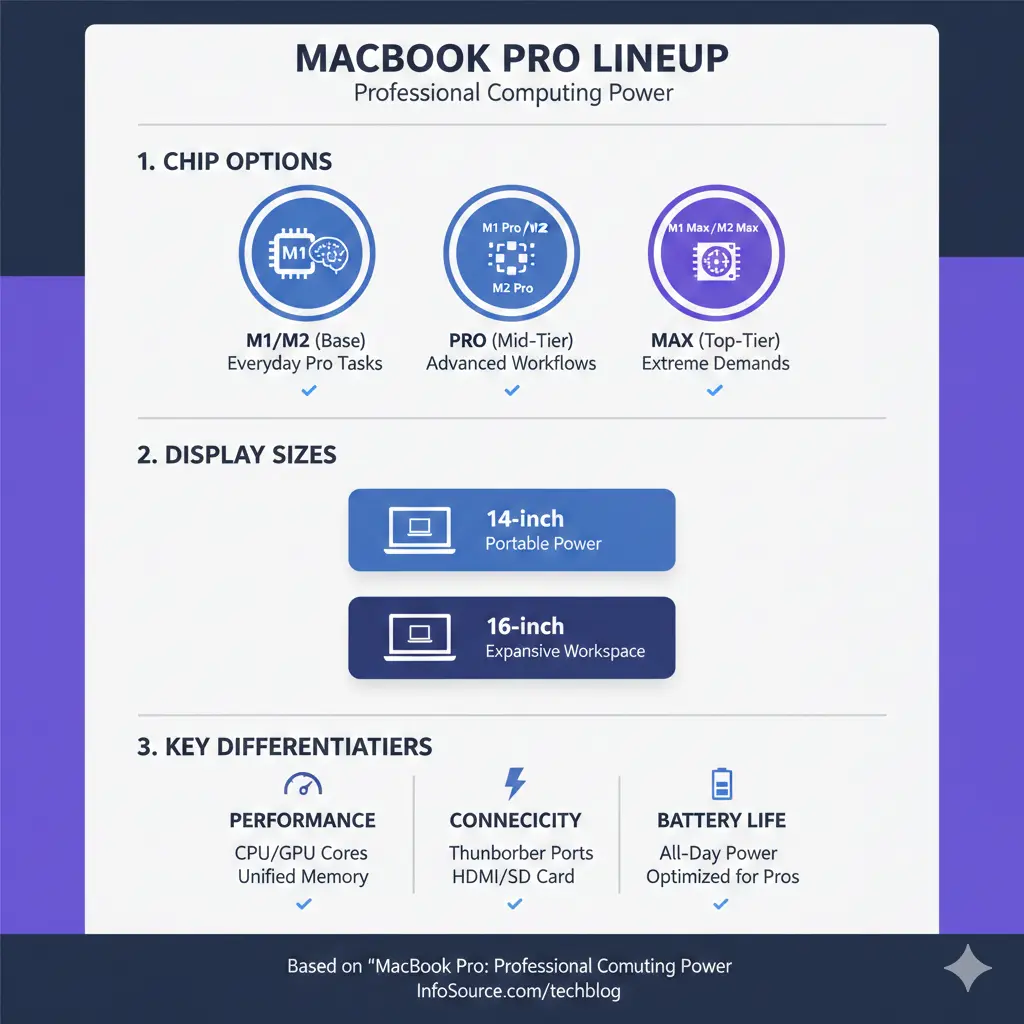
Apple's current MacBook Pro range features three distinct chip options, each designed for different professional needs. The M5 chip powers the 14-inch entry-level model, while the M4 Pro and M4 Max chips continue to support the higher-end configurations across both 14-inch and 16-inch models.
The M5 chip represents a significant upgrade for everyday professionals. It features a 10-core CPU with 4 performance cores and 6 efficiency cores, paired with a 10-core GPU. This configuration makes it ideal for university students, business users, and aspiring creators who need reliable performance without the premium price tag. The base M5 MacBook Pro 14-inch starts from NZ$2,999.
For more demanding workflows, the M4 Pro and M4 Max chips continue to deliver exceptional power. The M4 Max, in particular, scales to a 16-core CPU with 40-core GPU, making it the choice for rendering, gaming, and advanced AI tasks. Battery life across the range is impressive, with the 14-inch models offering up to 22 hours and the 16-inch models reaching up to 24 hours of battery life.
Key Performance Features for Professional Work
Processing Power and AI Capabilities
The M5 chip delivers up to 6x faster AI performance compared to the M1 generation. This matters for Kiwi professionals working with AI tools, large language models, and image generation software. The chip includes a 16-core Neural Engine with powerful Neural Accelerators built into each GPU core, dramatically speeding up AI tasks.
For those working with professional applications like Final Cut Pro, Logic Pro, or Adobe Creative Suite, the enhanced GPU with third-generation ray tracing provides the responsiveness needed for complex creative workflows. Dynamic Caching optimises on-chip memory, significantly increasing GPU utilisation for both professional applications and gaming.
Memory and Storage Options
The M5 model comes with 16GB or 24GB of unified memory, configurable up to 32GB. For more intensive work, the M4 Max supports up to 128GB of unified memory, allowing seamless multitasking across dozens of applications and large datasets.
Storage starts at 512GB or 1TB SSD and can be configured up to 4TB, providing ample space for video projects, design files, and development environments. For New Zealand creative professionals managing large media libraries, these storage options ensure you're not constantly managing space constraints.
Display Technology
All current MacBook Pro models feature the Liquid Retina XDR display with up to 1,600 nits peak HDR brightness. This is particularly valuable for colour-critical work like photo and video editing. The display also provides up to 1,000 nits of brightness for standard content in bright daylight, making it practical for outdoor work—whether you're presenting to clients at a café or reviewing footage in natural light.
Connectivity and Ports
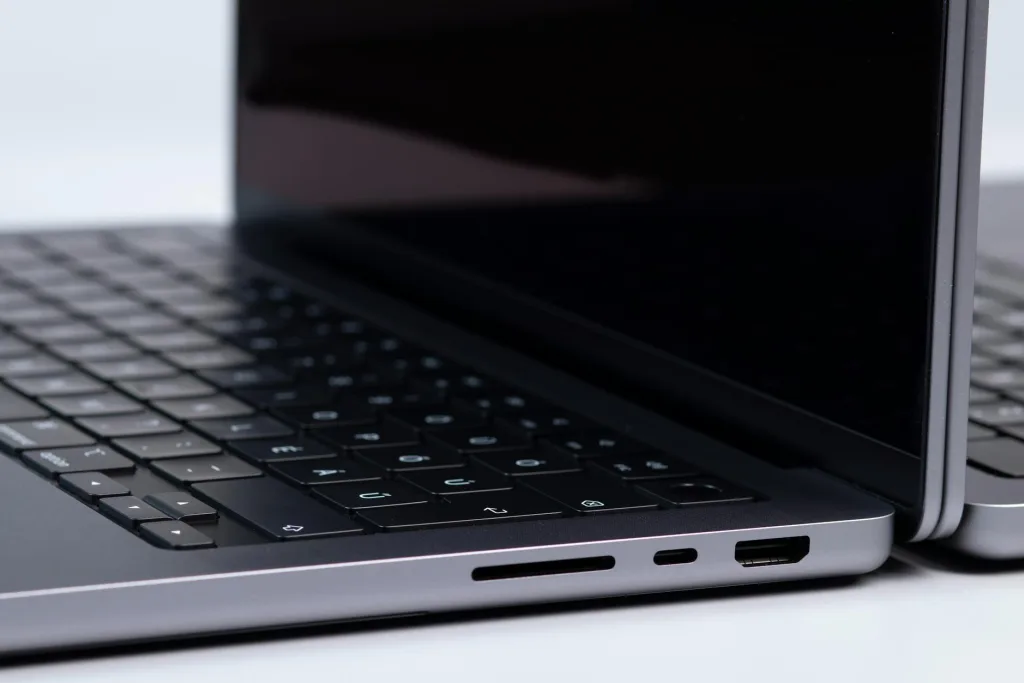
Modern MacBook Pro models come equipped with practical connectivity options. The current generation includes three Thunderbolt 4 ports (supporting up to 40 Gbps data transfer), HDMI, an SDXC card slot, a 3.5mm headphone jack, and MagSafe 3 charging. Looking ahead to 2026, the newest models are expected to feature four Thunderbolt 5 ports with 120Gbps data transfer, HDMI 2.1, and enhanced Wi-Fi 7 connectivity for faster wireless media transfer.
These ports significantly reduce the need for dongles and adapters, making workflow more efficient. For New Zealand professionals working with external drives, cameras, and multiple displays, this connectivity is essential.
Battery Life and Portability
One of the MacBook Pro's standout features is its battery efficiency. The M5 14-inch model achieves up to 24 hours of video streaming and up to 16 hours of wireless web browsing. The 16-inch models extend this further, with up to 24 hours of battery life for professional workloads.
For Kiwis working remotely or travelling between sites, this battery performance means you can work through a full day—or more—without seeking a power outlet. The laptops support fast charging with higher-wattage USB-C adapters, allowing quick top-ups during breaks.
Choosing the Right Model for Your Needs
Entry-Level: M5 14-inch
Ideal for university students, freelancers, and small business owners. The M5 offers excellent value and handles most professional tasks efficiently. Perfect for web development, content creation, and everyday business applications.
Mid-Range: M4 Pro
Suited for professionals who need more power than the base M5 but don't require the maximum performance. Good for video editing, design work, and software development with moderate complexity.
High-End: M4 Max
For demanding professionals: 3D rendering, 4K/8K video editing, machine learning, and complex software development. The 16-inch model with M4 Max is the choice for studios and agencies handling premium projects.
Where to Purchase in New Zealand
MacBook Pro laptops are available through several New Zealand retailers. Harvey Norman NZ and JB Hi-Fi NZ stock current models with typical delivery times of 2–5 business days for in-stock items. Prices are inclusive of GST, and most retailers offer delivery across New Zealand.
You can also purchase directly from Apple's New Zealand website, which offers the full range of configurations and customisation options.
Final Thoughts
The MacBook Pro remains the professional laptop choice for Kiwis who demand reliability, performance, and longevity. Whether you're selecting the affordable M5 for everyday tasks or investing in an M4 Max for intensive creative work, you're getting a machine built to handle serious workloads. The latest 2026 models bring enhanced connectivity, exceptional battery life, and powerful AI capabilities that position these laptops as genuine desktop replacements.
Before purchasing, consider your specific workflow needs, budget, and whether you'll benefit from the higher-tier configurations. Visit a local retailer like Harvey Norman or JB Hi-Fi to see the displays and feel the build quality firsthand. With proper care, your MacBook Pro will serve you well throughout your professional journey in New Zealand.
Frequently Asked Questions
Sources & References
-
1
MacBook Pro - Tech Specs - Apple (NZ) — www.apple.com
-
2
MacBook Pro (14-inch, M5) - Tech Specs - Apple Support (NZ) — support.apple.com
-
3
MacBook Pro 2026: M5 Chip Performance, Specs, and What's Next — www.techtimes.com
-
4
Apple MacBook Pro (14- and 16-inch, M4 Pro/Max) — panthertech.fiu.edu
-
5
MacBook Pro - Apple (NZ) — www.apple.com
-
6
Apple MacBook Pro 14" M5 Chip - Harvey Norman (NZ) — www.harveynorman.co.nz
-
7
Apple MacBook Pro 14-inch with M5 Chip - JB Hi-Fi (NZ) — www.jbhifi.co.nz
Related Articles
iPad Pro: Premium Tablet for Creative Professionals
If you're a creative professional in New Zealand looking for a tablet that can handle demanding work, the iPad Pro with the M5 chip might be exactly what you need. Whether you're editing videos, desig...
Handheld Vacuum Cleaners: Quick Cleanup Solutions
Handheld vacuum cleaners have become essential tools for Kiwi households, offering quick cleanup solutions without the hassle of dragging out a full-size vacuum. Whether you're dealing with crumbs on...

French Door Refrigerators in NZ: Luxury Cooling with Style
If you're looking to upgrade your kitchen with a stylish and spacious refrigerator, a French door fridge might be exactly what you need. These elegant appliances have become increasingly popular in Ne...

Chest Freezers in New Zealand: Bulk Storage for Rural Properties
If you're living on a rural property in New Zealand, a chest freezer isn't just a convenience—it's a practical investment for storing homekill, bulk meat purchases, garden produce, and fish. Whether y...