Scam Alert: How to Stay Safe on NZ Online Marketplaces
Picture this: you're scrolling Facebook Marketplace for a bargain on a second-hand lawnmower, spot a deal too good to pass up, and before you know it, your bank's alerting you to suspicious activity....
Sarah covers personal finance, tax, and KiwiSaver topics for Lifetimes NZ. She focuses on making money management straightforward and practical for everyday Kiwis.
Picture this: you're scrolling Facebook Marketplace for a bargain on a second-hand lawnmower, spot a deal too good to pass up, and before you know it, your bank's alerting you to suspicious activity. Online marketplaces like Trade Me, Facebook Marketplace, and Gumtree are Kiwi staples for snapping up deals, but they're also prime hunting grounds for scammers in 2026. With reported financial losses from online scams topping $200 million annually, staying vigilant is crucial for every buyer and seller.
We've seen a surge in sophisticated tactics, from AI-generated deepfakes to malvertising disguised as everyday ads. Two-thirds of New Zealanders have been targeted by scams, and a third have fallen victim, often only realising after losing money or goods. This guide arms you with practical tips, red flags, and NZ-specific resources to shop safely.
Common Scams on NZ Online Marketplaces
Scammers love platforms where trust is built quickly through photos and chats. In New Zealand, e-shop scams skyrocketed 271% during the 2025 holiday season, with fake online shops blocking over 45 million attacks globally in Q4 alone. Here's what to watch for locally.
1. Fake Listings and Payment Scams
Sellers post realistic photos of items like electronics or furniture at rock-bottom prices, then vanish after you pay via bank transfer or gift cards. On Facebook Marketplace, scams have surged, with consumer advocates noting even savvy Kiwis getting caught. Scammers often push for payment outside the platform, like direct bank deposits or crypto, bypassing buyer protections.
2. Phishing via Messages and Links
That "urgent" message claiming your listing needs verification? It's phishing. Click the link, and you hand over login details or install malware. Malvertising – fake ads – jumped 51% in NZ in Q4 2025, making up 41% of global attacks. Social media platforms like Facebook and YouTube lead the charge, with scammers luring you into chat groups on WhatsApp or Telegram promising "investment tips" tied to marketplace deals.
3. Account Takeovers and Impersonation
Scammers hack accounts or clone profiles to sell non-existent goods. The Financial Markets Authority (FMA) reports rising chat group scams where fraudsters pose as investment firms or bank staff, targeting Kiwis via Messenger or Discord. Delivery scams, pretending to be couriers needing "confirmation payments," are also rampant.
4. AI-Driven Threats in 2026
Trend Micro predicts 2026 as the year scams go fully AI-driven, with deepfakes and manipulated videos blurring reality. High-volume impersonation – fake billing or subscription renewals – will dominate. BNZ's survey shows 62% of Kiwis are now more cautious with communications due to this AI surge. Fake tutorials on YouTube, up 152%, trick you into installing malware disguised as fixes.
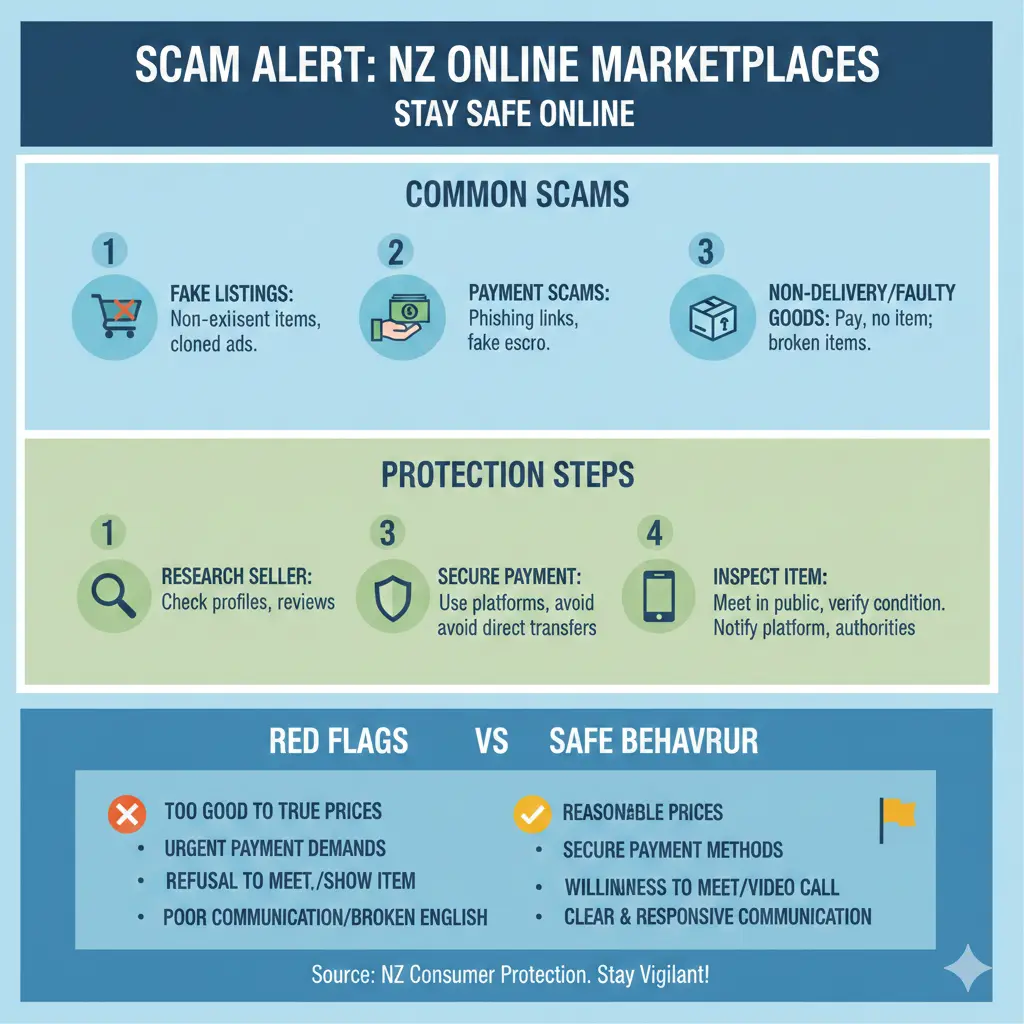
Red Flags: 5 Signs of a Scam Before You Pay
Spotting trouble early can save your wallet. Here's a checklist tailored for NZ marketplaces:
- Price too good to be true: If it's 50% below market value on Trade Me, it's likely bait.
- Pressure to pay off-platform: Insisting on bank transfer, PayPal Friends & Family, or gift cards – never do it.
- Poor communication: Broken English, urgency like "deal ends soon," or reluctance for video calls.
- No in-person meet: Overseas "sellers" claiming shipping issues, or vague addresses.
- Suspicious links or QR codes: Hover before clicking; legit platforms don't ask for codes via text.
Practical Tips to Stay Safe on NZ Online Marketplaces
Arm yourself with these actionable steps. Remember, platforms like Trade Me offer SafeTrader guarantees – use them.
For Buyers
- Verify the seller: Check profile age, reviews, and mutual friends on Facebook Marketplace. Search the listing text online for copies.
- Meet in public: Cash or bank transfer in person at a police station carpark or mall. Use apps like Ping for location sharing.
- Use secure payments: Platform payments (Trade Me Pay, Facebook Pay) or Ping from ANZ/BNZ for buyer protection. Avoid crypto or vouchers.
- Reverse image search: Upload photos to Google Images to spot stolen pics from legit sites.
- Enable 2FA: On your accounts and banking apps like ASB or Kiwibank.
For Sellers
- Watermark photos with your contact details.
- Avoid sharing full addresses until payment clears.
- Report suspicious inquiries immediately via platform tools.
- Use privacy settings to limit who messages you.
Tech Defences Everyone Needs
Half of Kiwis skip mobile antivirus, despite 45% using phones 1-4 hours daily for shopping. Install reputable apps like Norton or Trend Micro. BNZ notes 55% of us are now limiting online shares – follow suit.
The government's Anti-Scam Alliance, launched in 2025, boosts industry collaboration to disrupt scams at scale. A new safe harbour under the Fair Trading Act (due early 2026) lets platforms act faster on suspect content.
What to Do If You've Been Scammed
Act fast – time is money. Contact your bank immediately to stop transactions; most have scam reversal teams. Report to Netsafe (netsafe.org.nz) and the platform. For financial scams, notify the FMA if investments are involved.
- Freeze accounts: Change passwords and alert your bank (e.g., via Kiwibank app).
- Report officially: Police via 105, Consumer Protection's Scamwatch, or IRD if tax details stolen.
- Seek support: WINZ or Victim Support for financial aid if losses hit hard. Embarrassment keeps 47% silent – talk to mates or a trusted whānau member.
Real Kiwi story: A Wellington buyer lost $1,200 on a "bargain" bike via Facebook; quick bank reporting recovered half.
Stay One Step Ahead – Your Next Steps
Online marketplaces won't slow scammers, but you can. Bookmark Netsafe, enable all security features, and share this with whānau. In 2026, caution is your best mate – shop smart, Kiwis. If in doubt, don't click, don't pay, do verify.
Frequently Asked Questions
Sources & References
-
1
Data reveals where New Zealanders are being stung by online fraud — insideretail.co.nz
-
2
Chat Group Scams Targeting New Zealanders Are Increasing — www.financemagnates.com
-
3
A third of New Zealanders fall for online scams — www.trendmicro.com
-
4
Combatting online financial scams — www.mbie.govt.nz
-
5
Facebook Marketplace Scam NZ: 5 Red Flags Before You Pay in 2026 — www.artbeat.org.nz
-
6
Trend Micro Predicts 2026 as the Year Scams Become AI-Driven — www.trendmicro.com
-
7
AI scam surge forces major shift in Kiwi online habits — www.mpamag.com
-
8
Nearly half of Kiwi online daters would date an AI — securitybrief.co.nz
- 9
-
10
Scams | Financial Markets Authority — www.fma.govt.nz
Useful Tools
Related Articles

5 NZ Laws Changing in 2026 That You Haven’t Heard Of
Ever scrolled through your news feed and wondered if you're missing out on the quiet legal shifts that could change how you work, shop, or even camp in Aotearoa? In 2026, five under-the-radar law chan...

Inheritance & Wills: A Practical Guide to Protecting Your NZ Estate
Imagine this: you've spent decades building a life in Aotearoa—your family home in Auckland, a KiwiSaver nest egg, maybe a bach on the Coromandel. But without a solid will or estate plan, it could all...

Tenancy Disputes and Legal Aid: Getting Help
Imagine coming home to a leaky roof after a heavy Auckland downpour, only to have your landlord brush off your urgent repair request. Or as a landlord, discovering unexplained damage to your property...

Small Claims: Disputes Tribunal Guide NZ
If you've got a dispute with a business, neighbour, or another person and you're not sure how to resolve it, New Zealand's Disputes Tribunal might be your answer. It's a quick, affordable way to settl...