Business Laptops: Professional Tools for Remote Work

Whether you're working from a café in Auckland, a home office in Wellington, or travelling between client sites across Aotearoa, the right business laptop can transform your productivity and professio...
The Lifetimes NZ editorial team curates, fact-checks, and updates guides on personal finance, property, health, immigration, legal, business, and lifestyle topics relevant to Lifetimes NZ readers. Articles are produced with AI assistance and reviewed by the editorial team before publication.
Whether you're working from a café in Auckland, a home office in Wellington, or travelling between client sites across Aotearoa, the right business laptop can transform your productivity and professional presence. In 2026, business laptops have evolved far beyond basic productivity machines—they're now sophisticated tools designed to handle everything from video conferencing and creative work to data analysis and secure enterprise tasks. If you're investing in a new work laptop, understanding what separates a genuinely professional device from the rest can save you money and frustration.
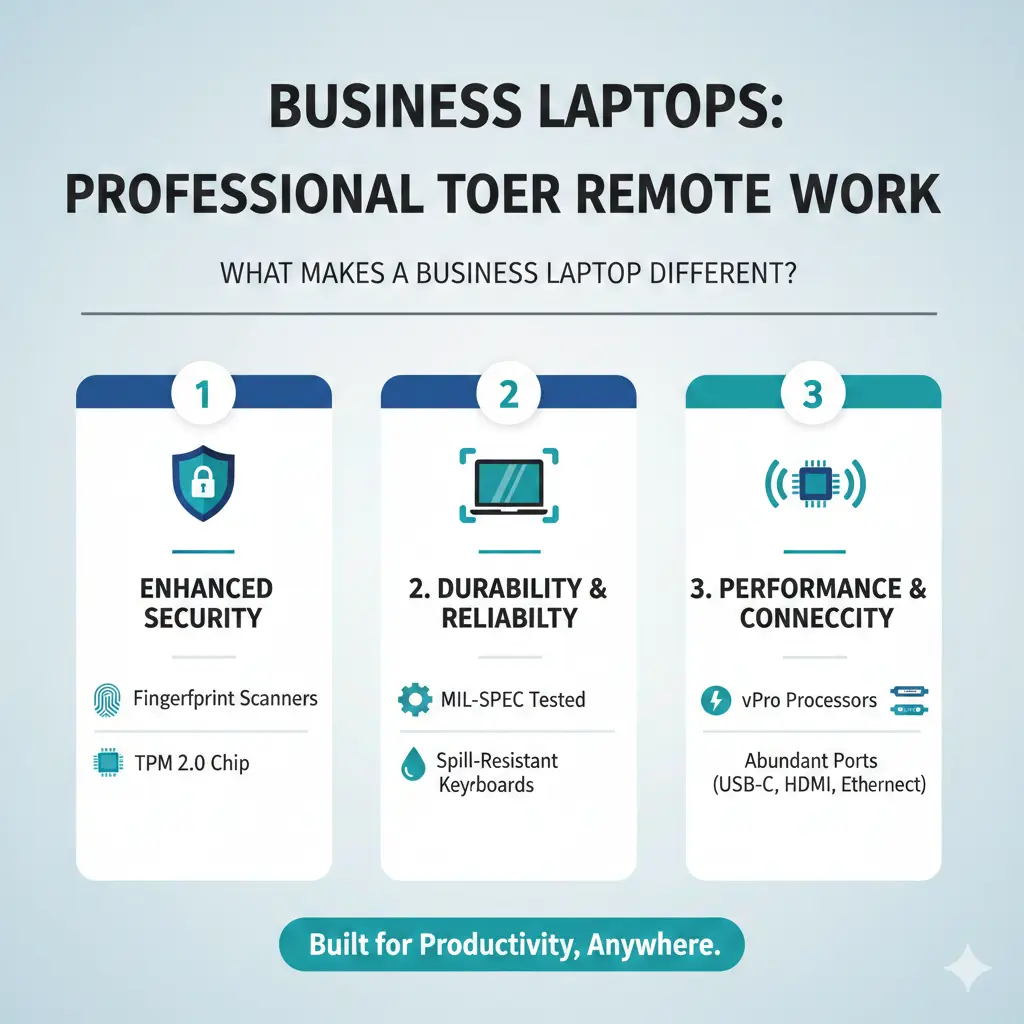
What Makes a Business Laptop Different?
Business laptops aren't just regular consumer devices with a corporate paint job. They're built with specific priorities that matter for professional work:
- Security features – Enterprise-grade encryption, biometric login, and hardware security modules protect sensitive client data and company information
- Durability and repairability – Reinforced chassis, spill-resistant keyboards, and modular components mean your investment lasts longer
- Battery life – All-day working without hunting for power outlets keeps you productive whether you're in meetings or on-site with clients
- Professional build quality – Premium materials and refined design make a genuine difference in how clients perceive your professionalism
- Management and support – Enterprise management tools, extended warranties, and dedicated support help IT teams keep fleets running smoothly
Top Business Laptops Available in New Zealand for 2026
Premium Windows Options
The Lenovo ThinkPad X1 Carbon Gen 14 stands out as the best overall business laptop for 2026. It weighs just 2.17 lbs, features an Intel Core Ultra Series 3 (Panther Lake) processor, and includes an impressive 14" OLED 120Hz display with 12+ hours of battery life. What really sets it apart is the Space Frame design—you can swap the battery and keyboard without tools, earning a 9/10 repairability score from iFixit. Starting at around NZ$1,800, it's a premium investment, but the durability and performance justify the cost for professionals who rely on their laptops daily.
If you need more screen real estate, the HP ProBook 460 G11 offers a 16" FHD+ touchscreen with Intel Core Ultra 7 processors and 16GB RAM, available through New Zealand retailers like Computer Lounge. For those doing CAD, 3D design, or intensive creative work, the Samsung Galaxy Book6 Ultra with RTX 5070 GPU and up to 64GB RAM provides serious processing power.
Apple's Professional Choice
The MacBook Air M4 delivers exceptional value for professionals in the Apple ecosystem, starting at NZ$999. For more demanding tasks—active development, video editing, or running resource-intensive software—the MacBook Pro 14" M5 offers active cooling, 32GB unified memory, and Thunderbolt 5 connectivity. Both integrate seamlessly with other Apple devices and professional software like Xcode and Fusion 360.
Budget-Conscious Professionals
The Lenovo ThinkBook 16 Gen 7 bridges the gap between affordability and performance. With a 16" display and Ryzen 7 option, it handles lighter CAD work and development tasks without breaking the budget. In New Zealand, you can often find these under NZ$1,500 through Lenovo's Education Store if discounts are available.
Key Features to Prioritise
Processor Performance
In 2026, Intel's Core Ultra Series 3 (Panther Lake) and AMD's Ryzen AI processors deliver the performance most professionals need. If you're doing video conferencing, document editing, and web-based work, a mid-range processor is sufficient. For developers, designers, or data analysts, prioritise higher-tier options like the Core Ultra 7 or Ryzen 7.
Display Quality
Your screen is where you'll spend eight hours a day, so it matters. OLED displays offer superior colour accuracy and contrast—ideal if you're doing creative work. For general business use, a high-resolution IPS panel (1920 × 1200 or higher) reduces eye strain during long working days.
Battery Life
Look for laptops offering at least 12 hours of real-world battery life. This keeps you productive during full days of client meetings, site visits, or travel between Auckland and other regions without constantly seeking power outlets.
Weight and Portability
If you're regularly moving between office, home, and client sites, sub-3 lb laptops make a genuine difference. The ThinkPad X1 Carbon Gen 14 at 2.17 lbs is genuinely portable, while 16" models are better suited to stationary setups.
New Zealand-Specific Considerations
When purchasing a business laptop in Aotearoa, consider these local factors:
- Warranty and support – Ensure your retailer offers genuine New Zealand warranty coverage. Computer Lounge and official brand retailers provide reliable support
- Tax deductibility – If you're self-employed or running a business, business laptops are typically tax-deductible through the IRD. Keep your receipts and discuss depreciation schedules with your accountant
- ACC coverage – Unlike personal devices, work-related laptop damage may be covered under ACC if it occurs during work activities. Check your policy
- Availability – Some premium models may take weeks to arrive in New Zealand. Plan ahead if you need a device by a specific date
Frequently Asked Questions
What's the best business laptop for someone working from home?
The MacBook Air M4 or Lenovo ThinkPad X1 Carbon Gen 14 are excellent choices. Both offer great performance, premium build quality, and excellent displays for video calls. If budget is tight, the ThinkBook 14 provides solid performance under NZ$1,500.
Do I need a touchscreen for business work?
Touchscreens are nice for presentations and creative work but aren't essential for most professionals. They add cost and can reduce battery life slightly. Skip them unless you specifically need touch input for your work.
How long should a business laptop last?
A quality business laptop typically lasts 4-6 years with proper care. Premium models like the ThinkPad X1 Carbon, with their tool-free repairability design, can often be serviced and upgraded to extend their lifespan.
Should I choose Windows or Mac for business?
This depends on your software needs and existing ecosystem. If your clients and colleagues use Windows, stick with Windows. If you're in creative industries or use Apple software, Mac makes sense. Both platforms offer excellent security and professional tools.
Can I claim a business laptop as a tax deduction in New Zealand?
Yes, if you're self-employed or running a business, a laptop used for work is typically deductible. The IRD allows depreciation claims on business equipment. Discuss the specifics with your accountant or visit ird.govt.nz for current guidance.
What warranty should I look for?
Aim for at least 2-3 years of warranty coverage. Business-grade laptops often include accidental damage protection and on-site support options, which are worth the extra cost if your laptop is critical to your work.
Making Your Decision
Choosing the right business laptop comes down to matching features to your actual needs. If you're primarily working with documents, email, and web applications, a mid-range laptop like the ThinkBook 14 or MacBook Air M4 will serve you well. If you're doing creative work, coding, or running resource-intensive software, invest in a more powerful option like the ThinkPad X1 Carbon Gen 14 or MacBook Pro 14".
Check local New Zealand retailers like Computer Lounge and official brand websites for current pricing and availability. Don't forget to factor in accessories—a quality laptop bag, external mouse, and perhaps a portable charger—as these enhance your mobile working experience. Finally, keep your receipt and warranty documentation safe for tax purposes and future support claims.