Apple HomePod: Premium Audio for Apple Ecosystem Users
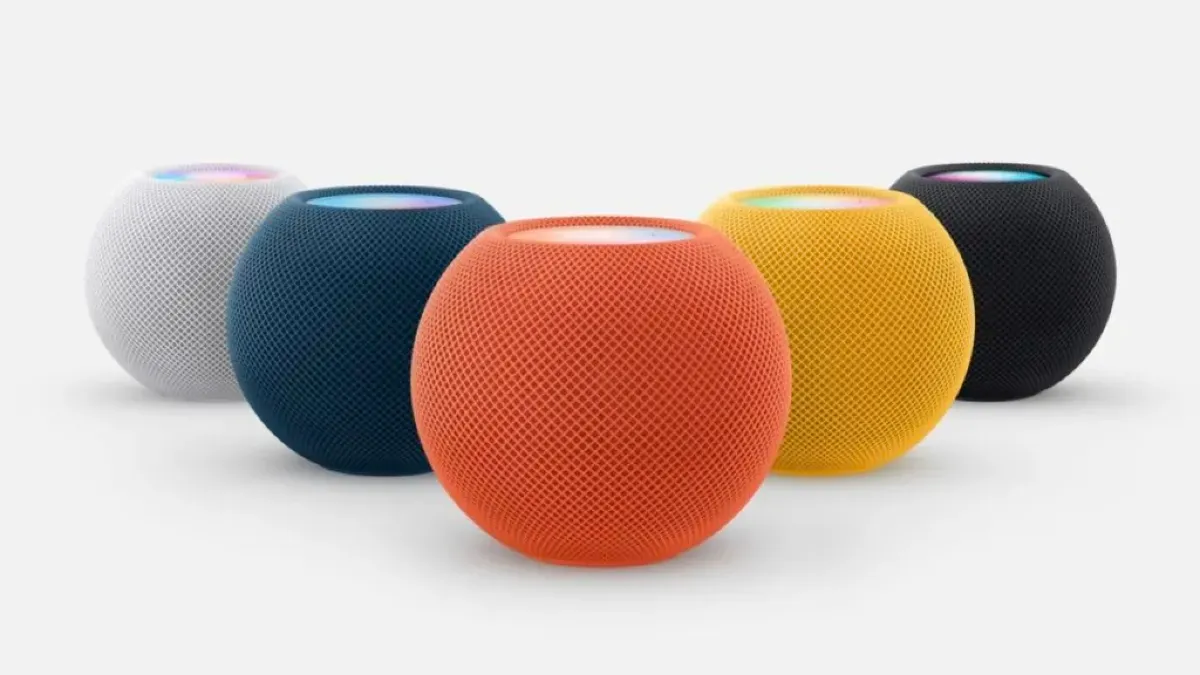
If you're an Apple user in New Zealand looking to elevate your home audio experience, the HomePod range offers premium sound quality that seamlessly integrates with your iPhone, iPad, and Mac. Whether...
Daniel covers technology, cybersecurity, and small business topics for Lifetimes NZ. He breaks down tech news and digital trends for a general audience.
If you're an Apple user in New Zealand looking to elevate your home audio experience, the HomePod range offers premium sound quality that seamlessly integrates with your iPhone, iPad, and Mac. Whether you want a high-fidelity speaker for your lounge or compact smart speakers for multiple rooms, Apple's HomePod lineup delivers both impressive audio performance and intelligent home control—all while keeping your privacy at the forefront.
What is the HomePod?
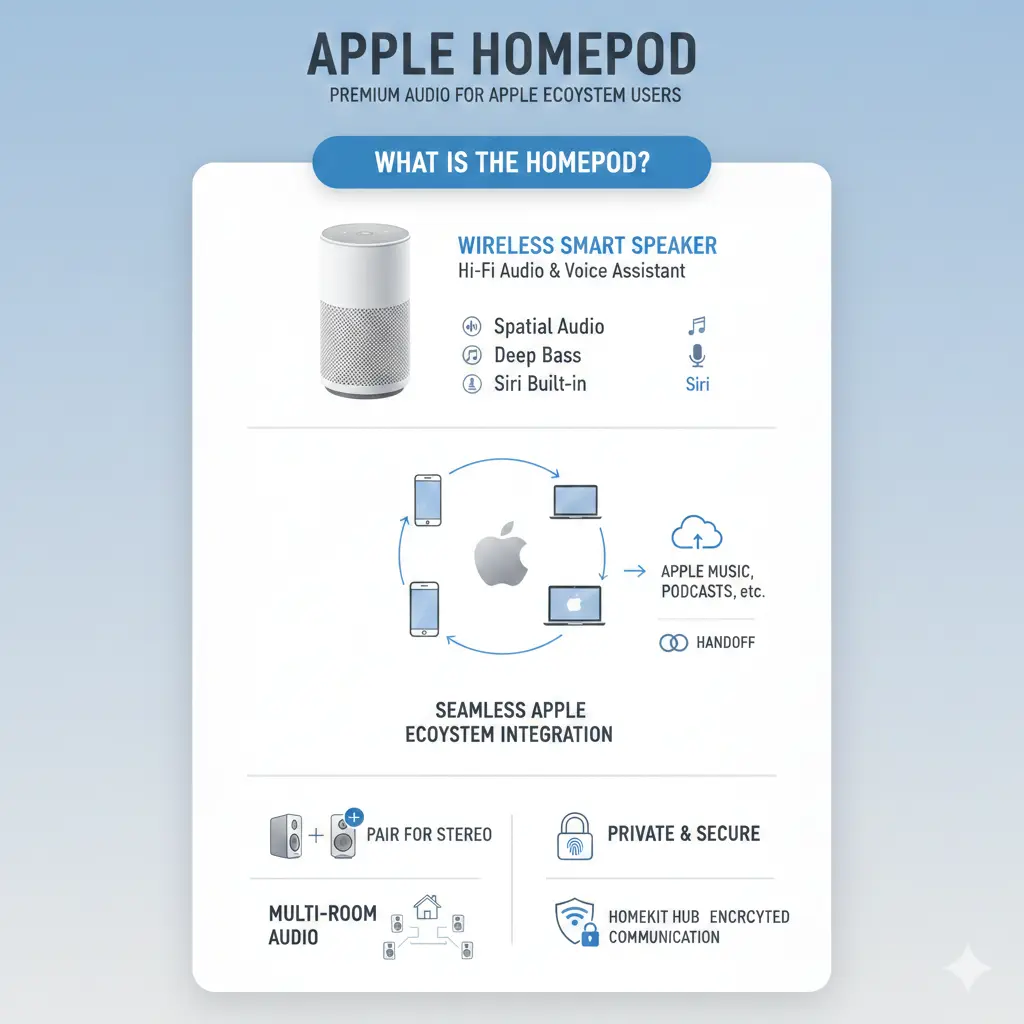
The HomePod is Apple's premium smart speaker designed specifically for users already invested in the Apple ecosystem. Unlike generic smart speakers, the HomePod combines exceptional audio quality with Siri voice control and HomeKit integration, making it more than just a music player—it's a central hub for your smart home.
Apple offers two main models: the full-sized HomePod (2nd generation) for serious audiophiles, and the HomePod mini for those seeking compact, room-filling sound at a more accessible price point.
HomePod Audio Technology: What Makes It Stand Out
Superior Sound Engineering
The HomePod 2nd generation features impressive audio specifications designed to deliver concert-quality sound. It includes a 4-inch high-excursion woofer paired with an array of five horn-loaded tweeters, each with its own neodymium magnet. This sophisticated setup provides what Apple calls "advanced computational audio with system sensing for real-time tuning," meaning the speaker automatically adjusts its sound based on room acoustics.
The HomePod mini, though smaller at just 3.3 inches tall, punches well above its weight. It delivers 360-degree room-filling audio that sounds impressive from every angle, making it ideal for kitchens, bedrooms, or home offices.
Spatial Audio and Multiroom Capabilities
Both models support Spatial Audio with Dolby Atmos, bringing immersive, three-dimensional sound to your music and video content. If you're serious about audio, you can create a stereo pair by connecting two HomePods in the same room. The speakers automatically sense their location and establish left and right channels, creating an almost three-dimensional soundstage with enhanced bass and deeper low-frequency reproduction.
For Kiwis with multiple rooms, the HomePod supports multiroom audio via AirPlay 2, allowing you to play the same song in sync across your home or different songs in different rooms—all controllable through Siri.
Smart Home Integration and Control
HomeKit and Siri Voice Control
The HomePod serves as a HomeKit hub, allowing you to control your compatible smart home devices remotely. Whether you're adjusting your smart lights, checking security cameras, or controlling your heating system, Siri makes it simple with voice commands. The device features a four-microphone design for far-field Siri recognition, meaning you can activate it from across the room.
A particularly useful feature is Intercom, which lets you quickly communicate with family members across your home using voice. This is especially handy for busy Kiwi households where you need to call everyone to dinner or check if someone's home.
Family-Friendly Features
The HomePod mini can recognise the voices of up to six different family members, creating personalised experiences for each person. This means your music preferences, calendar reminders, and personal requests are kept separate—perfect for households with different tastes and schedules.
Privacy and Security
Apple emphasises that the HomePod is 100% private and secure. Unlike some competitors, Apple doesn't use your voice data to build advertising profiles. Your personal information stays on your device, and HomeKit data is encrypted end-to-end. For privacy-conscious Kiwis, this is a significant advantage.
What's New in 2026: HomePod Software Updates and Future Releases
HomePod Software 26 Features
HomePod Software 26 brings two valuable new features to existing devices. Crossfade for Apple Music now works on HomePod speakers, providing smooth transitions between songs—a feature that's been available on iPhone and iPad for years. Additionally, the software makes it easier to connect to Wi-Fi networks that other Apple devices on your account have previously joined, streamlining setup.
HomePod mini 2: Coming Soon
Apple is expected to launch the HomePod mini 2 in 2026, bringing significant upgrades to the compact speaker. The new model will feature an updated S-series chip based on the Apple Watch Series 10, offering improved real-time computational audio and faster voice processing. It's also expected to include Wi-Fi 6E for more stable, high-bandwidth audio streaming and a second-generation Ultra Wideband chip for more precise handoff between your iPhone and speaker. The price is expected to remain at NZ$99 (or your local equivalent).
Practical Setup for New Zealand Users
System Requirements
To get started with a HomePod, you'll need:
- An iPhone SE (2nd generation or later) or iPhone 8 or later with the latest iOS
- Or an iPad Pro, iPad (5th generation or later), iPad Air (3rd generation or later), or iPad mini (5th generation or later) with the latest iPadOS
- 802.11 Wi-Fi internet access (Wi-Fi 6E recommended for the HomePod mini 2)
Electrical Requirements
The HomePod operates on standard New Zealand power (100V to 240V AC, 50Hz to 60Hz frequency). It's designed to work in typical home environments with operating temperatures between 0° to 35°C and relative humidity of 5% to 90%.
Warranty and Support in New Zealand
When purchasing a HomePod in New Zealand, you'll typically receive a one-year limited warranty covering manufacturing defects. For extended protection, you might consider AppleCare+ if available for your region. Apple's official website and authorised retailers like JB Hi-Fi NZ, Noel Leeming, and The Warehouse offer support and after-sales service.
Making Your Decision
For Kiwis invested in the Apple ecosystem, the HomePod represents a smart investment in both audio quality and home automation. The HomePod mini offers excellent value at NZ$99, making it accessible for most households, while the full-sized HomePod caters to audiophiles who demand premium sound. With HomePod Software 26 bringing new features and the HomePod mini 2 on the horizon with enhanced capabilities, there's never been a better time to upgrade your home audio setup.
Whether you're looking to enhance your lounge entertainment, add smart home control to your kitchen, or create a multi-room audio system throughout your home, HomePod delivers the quality and integration that Apple users expect. Visit your local Apple retailer or authorised reseller to experience the sound quality firsthand before making your purchase.
Frequently Asked Questions
Sources & References
-
1
HomePod (2nd generation) - Technical Specifications — www.apple.com
-
2
HomePod: Features, Price, Specs, Rumors, etc — 9to5mac.com
-
3
HomePod 26 Will Bring Two New Features to Your Speakers — www.idropnews.com
-
4
Apple HomePod Mini 2: IT'S FINALLY HERE! (2026 Internal Leaks) — www.youtube.com
-
5
Three New Apple Home Products Rumored for 2026 — www.macrumors.com
-
6
HomePod mini — www.apple.com
Related Articles

iPad Pro: Premium Tablet for Creative Professionals
If you're a creative professional in New Zealand looking for a tablet that can handle demanding work, the iPad Pro with the M5 chip might be exactly what you need. Whether you're editing videos, desig...
Handheld Vacuum Cleaners: Quick Cleanup Solutions
Handheld vacuum cleaners have become essential tools for Kiwi households, offering quick cleanup solutions without the hassle of dragging out a full-size vacuum. Whether you're dealing with crumbs on...

French Door Refrigerators in NZ: Luxury Cooling with Style
If you're looking to upgrade your kitchen with a stylish and spacious refrigerator, a French door fridge might be exactly what you need. These elegant appliances have become increasingly popular in Ne...
Chest Freezers in New Zealand: Bulk Storage for Rural Properties
If you're living on a rural property in New Zealand, a chest freezer isn't just a convenience—it's a practical investment for storing homekill, bulk meat purchases, garden produce, and fish. Whether y...