2-in-1 Laptops: Versatility for Work and Play

If you're looking for a laptop that can do it all—work, study, creativity, and entertainment—a 2-in-1 laptop might be exactly what you need. These hybrid devices seamlessly blend the power of a tradit...
Daniel covers technology, cybersecurity, and small business topics for Lifetimes NZ. He breaks down tech news and digital trends for a general audience.
If you're looking for a laptop that can do it all—work, study, creativity, and entertainment—a 2-in-1 laptop might be exactly what you need. These hybrid devices seamlessly blend the power of a traditional laptop with the flexibility of a tablet, offering Kiwis a versatile computing solution that adapts to any situation. Whether you're presenting in a boardroom, studying at the library, or relaxing on the couch, a 2-in-1 gives you the freedom to work the way you want.
What Is a 2-in-1 Laptop?
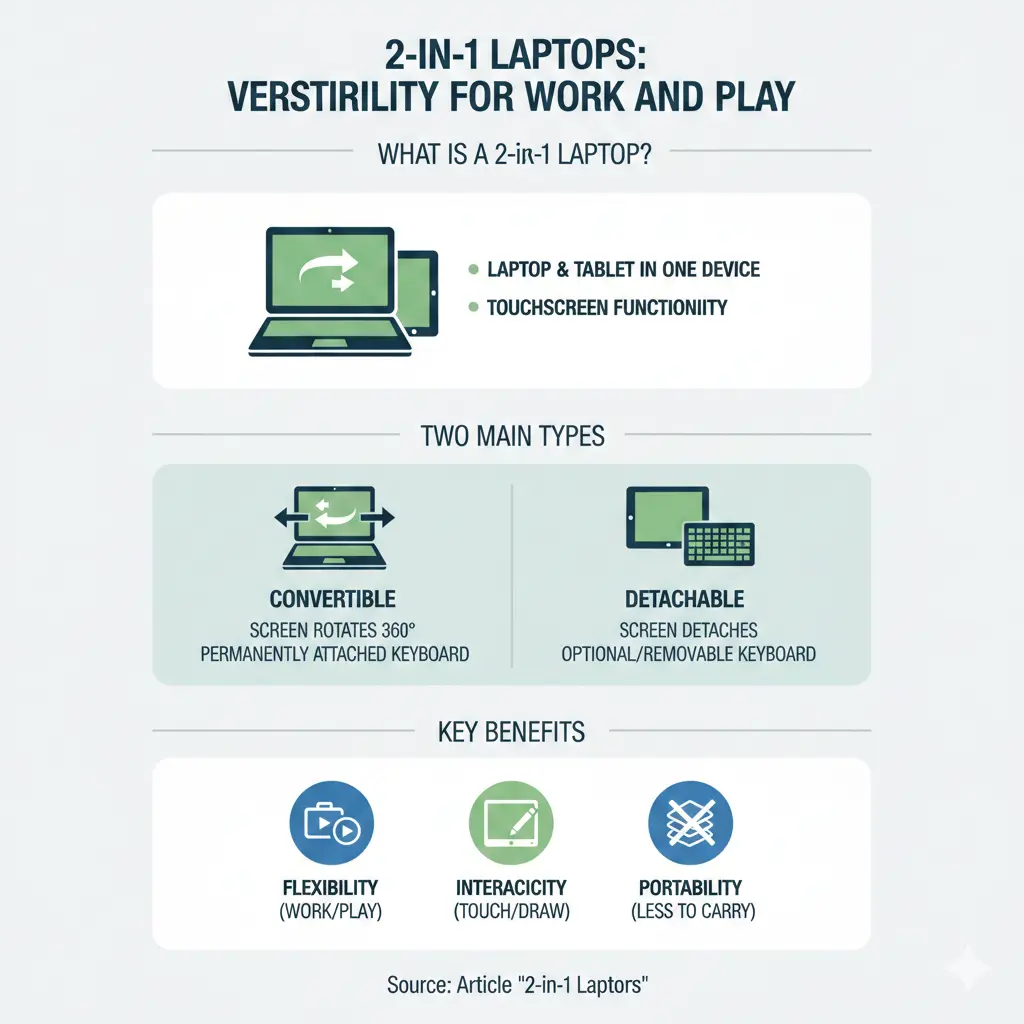
A 2-in-1 laptop, also called a convertible or flip laptop, is a device that combines the functionality of a laptop and a tablet in one machine. The key feature is its flexible hinge design that allows the screen to rotate or detach, transforming the device between different modes.
These devices come in two main styles:
- Convertible laptops—feature a 360-degree rotating hinge that lets the screen fold back into tablet mode while remaining attached to the keyboard
- Detachable laptops—have a screen that completely separates from the keyboard base, functioning as a standalone tablet
Both designs offer touchscreen displays and come with powerful processors, generous storage, and robust performance capabilities.
Why Choose a 2-in-1 Laptop?
Versatility Without Compromise
The biggest advantage of a 2-in-1 is flexibility. You get the full computing power of a laptop—perfect for spreadsheets, coding, video editing, and demanding applications—combined with the portability and ease of a tablet. This makes 2-in-1s ideal for professionals who move between meetings, students juggling study and social life, and creative professionals who need multiple tools in one device.
Space and Weight Savings
Instead of carrying both a laptop and a tablet, a 2-in-1 eliminates the need for two devices. This means less weight in your bag and more room for other essentials—a real benefit for Kiwis commuting on public transport or working from different locations.
Enhanced Productivity
Touchscreen displays on 2-in-1 laptops make navigation more intuitive. Whether you're annotating documents, taking notes, or browsing, the touch interface can speed up your workflow. Many models come with stylus support, making them excellent for designers, architects, and anyone who works with visual content.
Better for Presentations
Flip your 2-in-1 into tent mode or stand mode, and you've got the perfect setup for presentations, video calls, or watching content with colleagues or family—no need for a separate stand.
2-in-1 Laptops Available in New Zealand
Kiwis have access to a range of quality 2-in-1 options from leading retailers. Here's what's currently available:
Budget-Friendly Options
If you're looking to keep costs down, several retailers stock affordable 2-in-1 models starting from around $1,500–$2,000. These entry-level options typically feature:
- Intel Core 7 or AMD Ryzen 5 processors
- 14-inch FHD touchscreens
- 8–16GB RAM
- 256–512GB SSD storage
Popular budget-friendly models include the HP Envy x360 and Dell Latitude 2-in-1 ranges.
Mid-Range Performers
For professionals and serious students, mid-range 2-in-1s ($2,500–$3,500) offer better performance and features. These typically include:
- Intel Core Ultra 5 or 7 processors
- 14–16-inch QHD+ touchscreens
- 16–32GB RAM
- 512GB–1TB SSD storage
- Business-grade features like fingerprint readers and enhanced security
The Lenovo ThinkPad X1 Yoga and HP Spectre x360 are popular choices in this category.
Premium Powerhouses
For demanding users—video editors, software developers, designers—premium 2-in-1s ($3,500+) deliver top-tier performance. These feature:
- Latest Intel Core Ultra or high-end AMD Ryzen processors
- 16–32GB RAM and 1TB+ SSD storage
- High-resolution OLED or Mini LED displays
- Dedicated graphics (NVIDIA RTX options)
- Premium build quality and extended warranties
The MSI Summit E16 AI Studio and ASUS ExpertBook range represent this tier.
Where to Buy 2-in-1 Laptops in New Zealand
Several trusted retailers across Aotearoa stock 2-in-1 laptops:
- JB Hi-Fi NZ—wide selection with competitive pricing and regular promotions
- Computer Lounge—specialises in tech with detailed product information
- Extreme PC—offers business and consumer models
- Harvey Norman—nationwide presence with delivery to anywhere in New Zealand within 2–5 business days
- Lenovo Direct—official Lenovo store with student and business discounts available
- HP.com New Zealand—direct from HP with regular sales and promotions
- Dell New Zealand—Dell's official store with customisation options
Key Features to Consider
Processor
Look for Intel Core Ultra 5/7 or AMD Ryzen 5/7 processors for smooth performance in 2026. These offer excellent battery life and power for everyday tasks and creative work.
Display
Screen size typically ranges from 13–16 inches. For portability, 13–14 inches is ideal; for creative work, 15–16 inches offers more workspace. QHD+ (2560 x 1600) or OLED displays provide sharper visuals than standard FHD.
RAM and Storage
For general use, 16GB RAM is the sweet spot in 2026. If you're multitasking or running demanding software, 32GB is worth the investment. Aim for at least 512GB SSD storage; 1TB is better if you work with large files.
Battery Life
Most modern 2-in-1s offer 8–12 hours of battery life. Check reviews specific to your usage patterns, as real-world battery performance varies.
Build Quality
Look for models with sturdy hinges and premium materials. Business-grade ThinkPads and ExpertBooks tend to be more durable than consumer models.
2-in-1 Laptops for Different Needs
For Students
A 2-in-1 is perfect for university life. Use laptop mode for essays and assignments, tablet mode for reading PDFs and taking notes with a stylus. Many retailers offer student discounts—Lenovo Education and HP both provide education pricing when you register with your university email.
For Professionals
Business 2-in-1s like the ThinkPad X1 Yoga offer security features, long battery life, and professional design. They're ideal for consultants, managers, and anyone presenting to clients.
For Creatives
Designers, architects, and digital artists benefit from high-resolution displays, stylus support, and powerful processors. Premium models with dedicated graphics are worth the investment.
For Casual Users
If you mainly browse, stream, and work with documents, a budget 2-in-1 delivers excellent value.
Getting Started with Your 2-in-1
Ready to make the switch? Here's what to do:
- Assess your needs—determine whether you need a budget, mid-range, or premium model based on your work and study requirements
- Compare specs—focus on processor, RAM, storage, and display quality for your specific use case
- Check local pricing—compare prices across JB Hi-Fi, Computer Lounge, Harvey Norman, and brand websites to find the best deal
- Look for student or business discounts—if eligible, register with Lenovo Education or check HP's business store for exclusive pricing
- Read reviews—check real-world performance reviews to see how models perform in actual use
- Consider warranty and support—look for extended warranty options and local support availability
A 2-in-1 laptop offers the flexibility modern Kiwis need to work, study, and create on their own terms. Whether you're a student balancing classes and projects, a professional moving between meetings, or a creative pushing the boundaries of what's possible, there's a 2-in-1 built for your lifestyle. Start exploring the options available through New Zealand retailers today, and discover the device that adapts to your world.
Frequently Asked Questions
Sources & References
-
1
Dell 2-in-1 and Detachable Laptops New Zealand — www.dell.com
-
2
2-in-1 Laptops at JB Hi-Fi NZ — www.jbhifi.co.nz
-
3
2-in-1 and Flip Touchscreen Laptops at Computer Lounge — computerlounge.co.nz
-
4
2-in-1 Flip Laptops at Extreme PC — extremepc.co.nz
-
5
HP 2-in-1 Flip Laptops at Computer Lounge — computerlounge.co.nz
-
6
HP OmniBook X Flip 14" 2-in-1 Laptop at Harvey Norman NZ — www.harveynorman.co.nz
-
7
Lenovo 2-in-1 Laptop Deals and Education Discounts — account.lenovo.com
-
8
HP Convertible 2-in-1 Laptops New Zealand — www.hp.com
Related Articles

iPad Pro: Premium Tablet for Creative Professionals
If you're a creative professional in New Zealand looking for a tablet that can handle demanding work, the iPad Pro with the M5 chip might be exactly what you need. Whether you're editing videos, desig...

Handheld Vacuum Cleaners: Quick Cleanup Solutions
Handheld vacuum cleaners have become essential tools for Kiwi households, offering quick cleanup solutions without the hassle of dragging out a full-size vacuum. Whether you're dealing with crumbs on...

French Door Refrigerators in NZ: Luxury Cooling with Style
If you're looking to upgrade your kitchen with a stylish and spacious refrigerator, a French door fridge might be exactly what you need. These elegant appliances have become increasingly popular in Ne...

Chest Freezers in New Zealand: Bulk Storage for Rural Properties
If you're living on a rural property in New Zealand, a chest freezer isn't just a convenience—it's a practical investment for storing homekill, bulk meat purchases, garden produce, and fish. Whether y...