Windows Laptops Under $1000: Best Budget Options NZ
Finding a reliable Windows laptop under NZ$1,000 doesn't mean compromising on performance or build quality. Whether you're a student, remote worker, or casual user, there are solid options available r...
Daniel covers technology, cybersecurity, and small business topics for Lifetimes NZ. He breaks down tech news and digital trends for a general audience.
Finding a reliable Windows laptop under NZ$1,000 doesn't mean compromising on performance or build quality. Whether you're a student, remote worker, or casual user, there are solid options available right now that deliver excellent value for money. Let's explore what you can actually get for your budget and help you make an informed decision.
What You Can Expect Under NZ$1,000
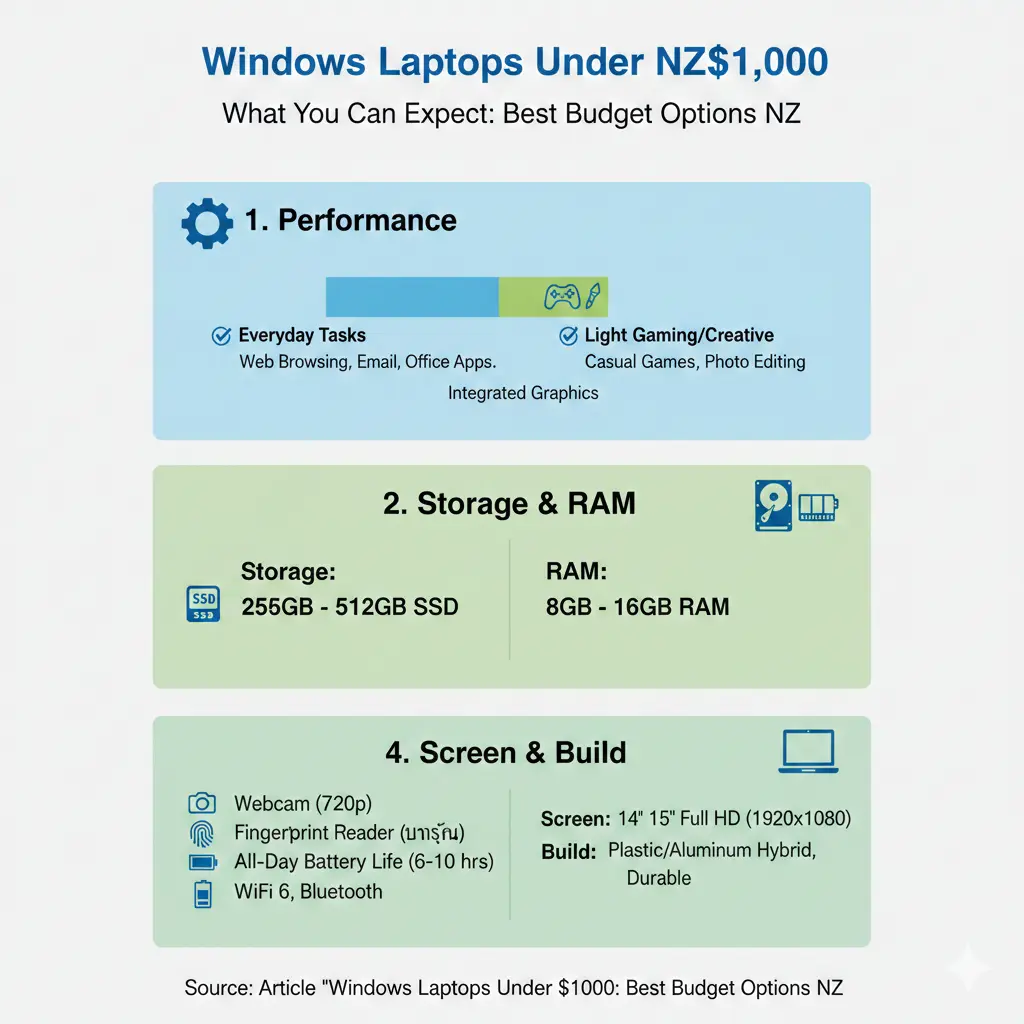
The sub-NZ$1,000 price bracket is the sweet spot for most Kiwis looking for a dependable everyday laptop. You'll typically get Intel Core i5 or AMD Ryzen 5 processors, 8–16GB of RAM, a 512GB SSD, Full HD displays with decent brightness, and 6–8 hours of battery life. This is a significant step up from ultra-budget models and gives you a machine that'll handle work, study, and entertainment without breaking the bank.
The build quality has improved noticeably in this price range too. Most models now feature aluminium or quality plastic chassis rather than flimsy construction, and you'll get better keyboards and trackpads than you would have a few years ago.
Top Windows Laptop Recommendations for Under NZ$1,000
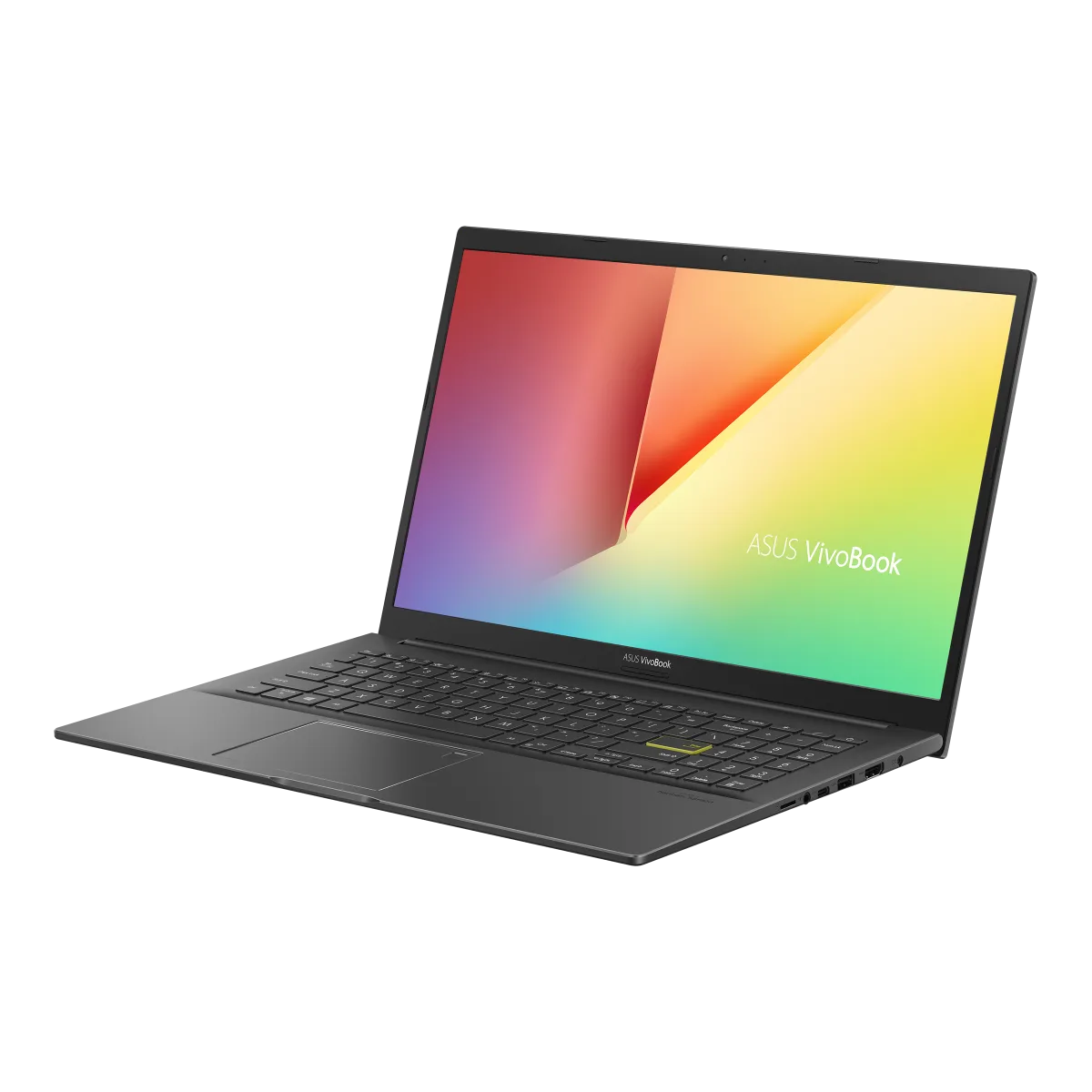
Best All-Rounder: ASUS Vivobook 15
Price: NZ$849–$999
The ASUS Vivobook 15 stands out as an excellent all-rounder in this price range. It offers good build quality, a comfortable keyboard for extended typing sessions, and a decent display. It's versatile enough for students working on assignments, professionals managing spreadsheets and presentations, and anyone who wants a reliable daily driver without paying premium prices.
Best for Portability: Acer Swift 3
Price: NZ$899–$999
If you're constantly on the move—whether commuting to uni, moving between meeting rooms, or working from different locations—the Acer Swift 3 is worth serious consideration. Weighing in under 1.5kg, it's genuinely portable without feeling fragile. The Swift 3 focuses on lightweight design without sacrificing everyday performance, making it ideal for students and mobile professionals.
Best Value: HP Pavilion 14/15
Price: NZ$849–$999
The HP Pavilion series delivers solid performance with a good port selection, which matters more than you'd think when you're juggling USB devices, external drives, and peripherals. HP also has reliable warranty support through HP New Zealand, which gives you peace of mind if something goes wrong. These are available through all major NZ retailers.
Best for Gaming on a Budget
If you want to play games alongside everyday work, the ASUS TUF Gaming A16 Advantage Edition (2023) offers impressive value. For under NZ$1,000, you can get a 165Hz FHD+ display, a Ryzen 7 7735HS CPU, an AMD Radeon RX 7600s GPU, 16GB of DDR5 RAM, and 512GB of storage. This setup handles modern games at respectable settings while remaining capable for productivity work.
Alternatively, the MSI Cyborg 15 is another solid gaming option that can run games like Cyberpunk 2077 and Doom Eternal at medium settings and 1080p resolution. While battery life isn't spectacular, the overall gaming performance at this price point is genuinely impressive.
Where to Buy in New Zealand
All major NZ retailers stock these models, including JB Hi-Fi, PB Tech, The Warehouse, and specialist computer shops. Consider looking at refurbished models from PB Tech or laptop specialists for even better value—you'll often find ex-lease business laptops like ThinkPads and Latitudes that offer superior build quality at lower prices.
Many retailers offer interest-free payment plans if you're spreading the cost, which can make a NZ$1,000 purchase more manageable alongside other expenses.
Key Specs to Look For
When comparing models, don't just look at the price tag. Focus on these essentials:
- Processor: Intel Core i5 (12th Gen or newer) or AMD Ryzen 5 5000-series or newer. These handle everyday tasks and light creative work smoothly.
- RAM: 8GB minimum, but 16GB is increasingly standard and future-proofs your laptop longer.
- Storage: 512GB SSD is the baseline. Avoid eMMC storage or older hard drives—they're noticeably slower.
- Display: Full HD (1920×1080) minimum. Look for good brightness levels if you work outdoors or near windows.
- Battery life: Aim for at least 6 hours of real-world use. Check reviews, not just manufacturer claims.
- Build quality: Avoid models with excessive plastic or flimsy hinges. Read user reviews about durability.
What to Avoid
Even at budget prices, some corners aren't worth cutting:
- Celeron or Pentium processors: These are significantly slower than Core i5 or Ryzen 5 and will frustrate you within months.
- 4GB RAM: Windows 11 needs more breathing room. You'll experience constant slowdowns.
- eMMC storage: It's cheaper but painfully slow. Insist on an SSD.
- Extremely heavy models: If portability matters at all, avoid anything over 2kg.
Special Considerations for Kiwis
When buying a laptop in New Zealand, remember that you're protected by the Consumer Guarantees Act. If something's faulty, you have rights—retailers can't just point to a warranty card. This is particularly valuable when buying budget models, as it gives you recourse if something fails shortly after purchase.
If you're a student, check whether your institution offers any discounts through student ID schemes. Some retailers provide education pricing that can bring prices down further.
Making Your Final Decision
The best laptop under NZ$1,000 depends on your specific needs. If portability is crucial, go for the Acer Swift 3. If you want the safest all-rounder, the ASUS Vivobook 15 won't disappoint. For gaming, the ASUS TUF or MSI Cyborg options are genuinely impressive value. And if you value HP's local support network, the Pavilion series is reliable.
Take time to read user reviews on NZ tech sites, check warranty terms carefully, and don't rush the decision. A laptop is something you'll use daily, so getting it right matters more than saving an extra $50 or $100.
Visit your local retailers to handle models in person if possible—keyboard feel and weight matter more than you'd think. Then make your purchase with confidence knowing you've found a solid machine that'll serve you well.
Frequently Asked Questions
Sources & References
-
1
Ultimate Laptop Buying Guide NZ (2025) — Tech On Wheels — www.techonwheels.co.nz
-
2
The 5 Best Laptops Under $1,000 of 2026 — RTINGS.com — www.rtings.com
-
3
Best Budget Laptops 2026 — Tom's Guide — www.tomsguide.com
-
4
The Best Laptops 2026 Tested, Reviewed and Rated — TechRadar — www.techradar.com
- 5
Related Articles

iPad Pro: Premium Tablet for Creative Professionals
If you're a creative professional in New Zealand looking for a tablet that can handle demanding work, the iPad Pro with the M5 chip might be exactly what you need. Whether you're editing videos, desig...
Handheld Vacuum Cleaners: Quick Cleanup Solutions
Handheld vacuum cleaners have become essential tools for Kiwi households, offering quick cleanup solutions without the hassle of dragging out a full-size vacuum. Whether you're dealing with crumbs on...

French Door Refrigerators in NZ: Luxury Cooling with Style
If you're looking to upgrade your kitchen with a stylish and spacious refrigerator, a French door fridge might be exactly what you need. These elegant appliances have become increasingly popular in Ne...

Chest Freezers in New Zealand: Bulk Storage for Rural Properties
If you're living on a rural property in New Zealand, a chest freezer isn't just a convenience—it's a practical investment for storing homekill, bulk meat purchases, garden produce, and fish. Whether y...