Fibre Broadband NZ: Plans Speed and Providers Compared
Imagine streaming 4K Netflix on multiple screens, video calling whānau overseas without lag, and downloading massive files in seconds—all without buffering frustrations. That's the reality of fibre br...
Sarah covers personal finance, tax, and KiwiSaver topics for Lifetimes NZ. She focuses on making money management straightforward and practical for everyday Kiwis.
Imagine streaming 4K Netflix on multiple screens, video calling whānau overseas without lag, and downloading massive files in seconds—all without buffering frustrations. That's the reality of fibre broadband NZ in 2026, where over 3 million Kiwis enjoy this gold-standard connection. With providers battling for your custom through faster speeds, better deals, and unlimited data, choosing the right plan can save you hundreds while supercharging your home.
As fibre coverage hits more than 75% of New Zealand towns and cities, now's the perfect time to compare plans, speeds, and providers. We'll break down everything you need to know, from entry-level options to hyperfibre beasts, so you can pick a plan that fits your household's needs and budget.
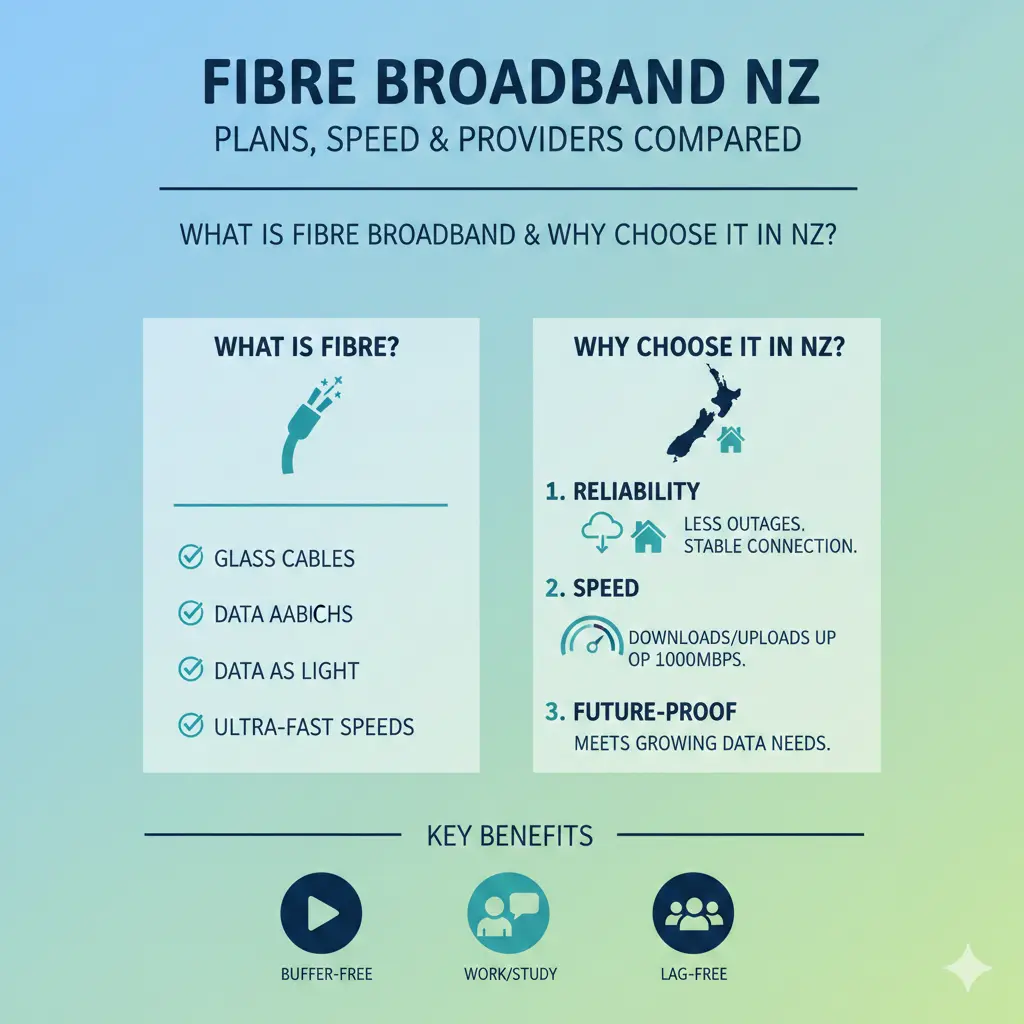
What is Fibre Broadband and Why Choose It in NZ?
Fibre broadband uses thin glass cables to deliver lightning-fast internet, unaffected by distance from the exchange—unlike slower ADSL or VDSL on copper lines. In New Zealand, it's powered by the government-backed Ultra-Fast Broadband (UFB) rollout, making it available to nearly every home in main centres.
Fibre shines for busy Kiwi households: think remote work via Zoom, kids gaming on PlayStation, and smart devices running smoothly. National peak-time average speeds for fibre hit 314Mbps download and 108Mbps upload for standard plans, outpacing 4G (58/22Mbps) and VDSL (46/13Mbps). Latency is low too at 8ms, ideal for real-time tasks like online meetings or competitive gaming.
Fibre Speed Tiers Explained
Providers tier fibre by speed profiles, measured as download/upload Mbps (e.g., 100/20). Here's the breakdown for 2026:
- Basic Fibre (30-50Mbps download): Entry-level for light use, but rare now.
- Fibre Starter/Essential (100-106/20-25Mbps): Perfect for small households browsing, emailing, and SD streaming. A 100/20 plan handles most daily tasks.
- Fibre Everyday/Classic (300-539/100-114Mbps): The sweet spot for most Kiwis—streams four UHD Netflix sessions simultaneously. Covers medium households with HD streaming and work-from-home.
- Fibre Max (900/450-500Mbps): For larger families with gamers or heavy streamers. Averages 881Mbps down/496Mbps up.
- Hyperfibre (2000-8000Mbps): Ultra-fast for pros—10x to 200x regular fibre. Best for data-heavy tasks, but overkill for most homes and pricier.
Check your address on the Chorus map or local networks like Enable, Tuatahi First Fibre, Northpower, or Ultra Fast Fibre to confirm availability.
Top Fibre Broadband Providers in NZ Compared (2026)
We've crunched the latest deals from trusted comparison sites and providers. Most plans offer unlimited data on 12-month terms, with open-term options for flexibility. Prices exclude modem fees unless noted—BYO modems avoid rentals.
Price and Speed Comparison Table
| Provider | Plan | Speed (Down/Up Avg) | Monthly Cost (2026) | Key Perks | Modem |
|---|---|---|---|---|---|
| 2degrees | Fibre (Essential) | 106/25Mbps | $70-$85 | Unlimited data, home phone add-on, best value with included modem rental ($5/m) | Rent Orbi Wi-Fi 6 $5/m |
| 2degrees/Zeronet | Hyperfibre | 2000+Mbps | $100+ | Top speeds, nationwide expansion | Own or rent |
| One NZ | Fibre Everyday | 539/114Mbps | $80-$95 | SmartWifi modem $5/m, no fixed term BYO | $5/m + $15 ship |
| One NZ | Fibre Starter | 106/25Mbps | $65-$75 | Unlimited data | $5/m + $15 ship |
| Mercury | Fibre Classic | 500/100Mbps | $96 (bundled) | 6 months free with power (save $594/yr), one bill | BYO or purchase |
| Mercury | Fibre Max | 893/510Mbps | $111 bundled (save $690/yr) | Rewards points, quiz for plan match | BYO or purchase |
| Contact | Fibre Plans | Up to 900Mbps | $75-$110 | Reliable for gamers/remote work | Check availability |
| Simply Broadband | Fibre Essential | 100+Mbps | $63.59 | Budget basic for small homes | Included? |
| Voyager | Hyperfibre | 2000+Mbps | $90-$120 | High speeds, but BYO modem | Own required |
Note: Prices are indicative for February 2026; bundle with power for Mercury savings. Always verify with providers as deals change.
Standout Providers for Value
- 2degrees: Leads for fibre and hyperfibre with modem included—no nasty surprises. Great for 4G/5G backups too.
- Zeronet & Voyager: Hyperfibre specialists, now in 75%+ locations. Pick if you need extreme speeds.
- Mercury: Bundle with electricity for 6 months free—massive $414-$690 savings on wireless/fibre.
- One NZ & Contact: Reliable nationwide, with easy installs and add-ons.
How to Choose the Right Fibre Plan for Your Household
Match speed to needs: small households (1-2 people) thrive on 100/20; larger ones (4+ with streaming/gaming) need 300+ or Max. Factor in:
- Household Size & Usage: 200/20 for medium homes; 900/450 for gamers.
- Contract Terms: 12 months standard, but open plans available.
- Modem & Install: Free install via UFB; be home for indoor setup. Neighbours' consent may be needed for digging.
- Add-Ons: Home phone, Wi-Fi boosters, or power bundles.
Pro Tip: Use tools like Broadband Compare or MoneyHub for personalised quotes.
Fibre Installation Process in New Zealand
- Check Availability: Enter address on Chorus.co.nz, enable.net.nz, etc.
- Site Visit: Tech assesses digging/external setup—may need neighbour OK.
- Indoor Connection: Be home; modem plug-in and test (1-2 visits).
- Custom Builds: If not UFB-ready, pay for private install.
Most Kiwis get it done in a day. No disruption to power or phones.
Practical Tips for Getting the Best Fibre Deal
- Compare mid-contract: Switch after 12 months for promos.
- BYO Modem: Saves $5-10/m if Wi-Fi 6 compatible for hyperfibre.
- Bundle Smart: Mercury's power deal pays off if you're with them already.
- Monitor Speeds: Use MBNZ reports for real averages.
- Avoid Overkill: Hyperfibre suits businesses more than homes.
Frequently Asked Questions
Sources & References
-
1
Compare Broadband - February 2026 - MoneyHub NZ — www.moneyhub.co.nz
- 2
-
3
Compare Fibre & Wireless Broadband Plans in NZ - Canstar — www.canstar.co.nz
-
4
Explore Broadband | 2degrees — www.2degrees.nz
-
5
Fibre Broadband Plans | Contact Energy NZ — contact.co.nz
-
6
Fibre Broadband Plans - Home Internet Deals - Mercury — www.mercury.co.nz
-
7
Broadband plans - Fibre, Wireless, Portable and more | Spark NZ — www.spark.co.nz
-
8
Broadband Compare – The Best Internet Deals in NZ – Save Now — www.broadbandcompare.co.nz
-
9
Simply Broadband: Unlimited Internet — www.simplybroadband.co.nz
-
10
Fibre broadband: Fast, reliable internet for your home - Chorus — www.chorus.co.nz
Useful Tools
Related Articles

Industry Bodies and Professional Associations NZ
Whether you're launching a business, advancing your career, or navigating financial regulations, industry bodies and professional associations in New Zealand offer invaluable support. These organisati...

Emergency Benefit NZ: When You Have No Other Options
When you're struggling financially and don't qualify for other benefits, the Emergency Benefit might be your lifeline. It's a discretionary payment designed for Kiwis in genuine hardship who've exhaus...

Unpaid Internships NZ: Are They Legal?
Unpaid internships are a common pathway for students and graduates to gain work experience in New Zealand, but there's often confusion about whether they're actually legal. The short answer is: unpaid...

Estate Administration NZ: Managing Someone's Affairs After Death
Losing a loved one is one of life's toughest challenges, and stepping in to manage their estate can feel overwhelming. In New Zealand, estate administration—the process of handling someone's affairs a...