The Ultimate Word Counter for NZ Students and Writers

Ever stared at your screen at 2am, racing to finish that uni essay, only to realise you've smashed past the word limit by 500 words? Or worse, come up short and need to pad it out without sounding flu...
Aroha writes about parenting, education, and family life in Aotearoa. She covers school choices, childcare, family benefits, and practical advice for raising a family in New Zealand.
Ever stared at your screen at 2am, racing to finish that uni essay, only to realise you've smashed past the word limit by 500 words? Or worse, come up short and need to pad it out without sounding fluffy? For Kiwi students and writers, hitting the exact word count isn't just busywork—it's key to nailing assignments at Auckland Uni, Otago, or Victoria, where lecturers enforce strict limits to build your concise writing skills.
In 2026, with tertiary fees creeping up to around $8,000-$12,000 per year for domestic students, you can't afford to lose marks on something as basic as word count. That's where the ultimate word counter for NZ students and writers comes in. These free tools do more than tally words—they track characters, sentences, reading time, and even readability, helping you craft polished work that meets NZQA standards and impresses your tutors. Let's dive into why you need one, how to pick the best, and pro tips tailored for Kiwi contexts like StudyLink-funded reports or job applications via Seek.co.nz.
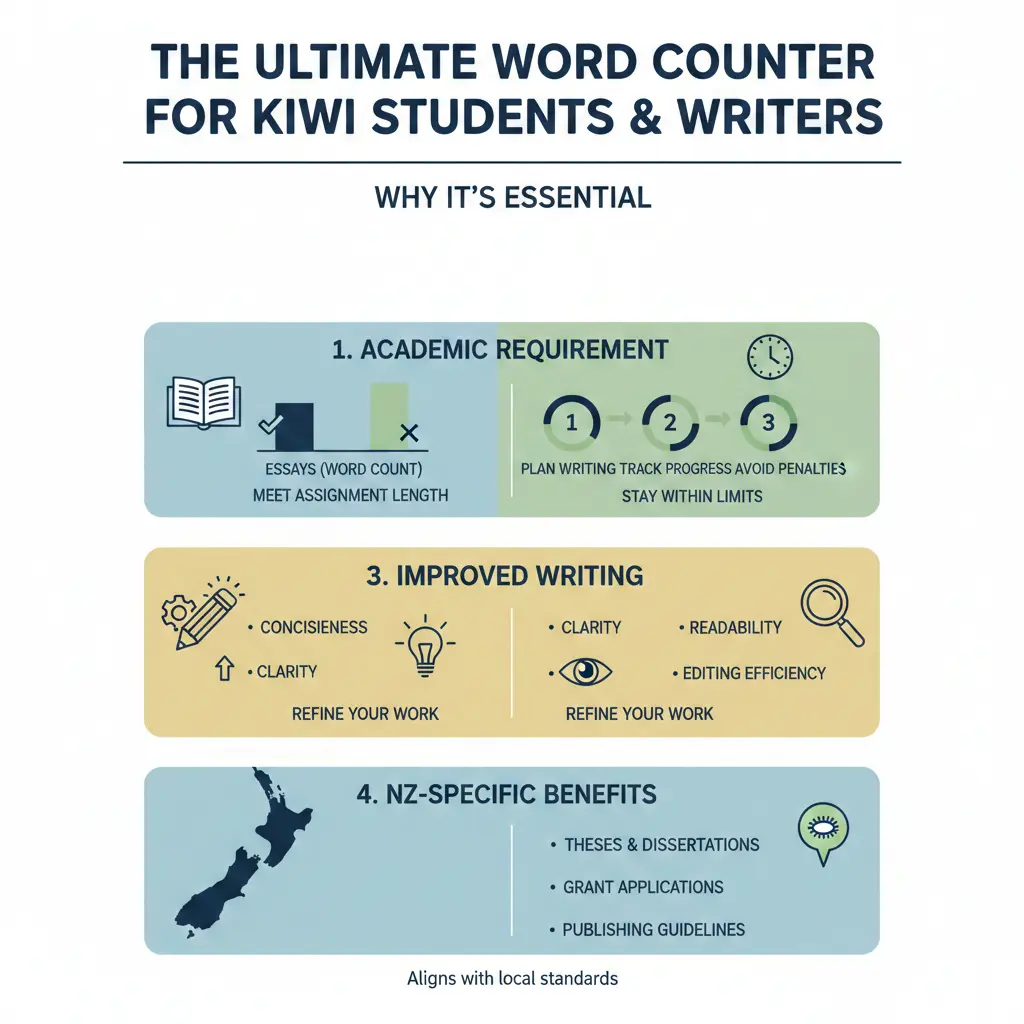
Why Word Counters Are Essential for Kiwi Students and Writers
In New Zealand's tertiary scene, word counts rule everything from 1,500-word essays in your first year to 20,000-word theses for postgrads. Universities like the University of Canterbury specify limits to teach clarity and focus—core skills for careers in law, journalism, or public service. Miss the mark, and you risk penalties: up to 10% off for exceeding by 10%, per many course guides.
Beyond essays, writers crafting blogs for Stuff.co.nz or grant applications via MBIE need precision. A word counter keeps you on track, preventing overkill or under-delivery. Plus, advanced tools estimate reading time—crucial when your audience is busy Kiwis scanning on mobiles during commutes.
Common Scenarios Where You'll Need a Word Counter
- Uni Assignments: A typical Level 6 paper at Massey might demand 2,000 words ±10%. Tools show real-time counts as you type.
- Thesis and Dissertations: Postgrads at Waikato Uni face 40,000+ word monsters—track paragraphs and readability to stay sane.
- Job Applications: Cover letters for public sector roles via jobs.govt.nz cap at 500 words. Count characters to fit ATS systems.
- Creative Writing: NaNoWriMo Kiwis or short story submissions to Landfall need exact limits.
- Social Media and Ads: LinkedIn posts or Facebook campaigns for your side hustle—stay under 2,000 characters.
How the Best Word Counters Work
Top word counters like Grammarly's free tool or WordCounter.net aren't basic calculators. Paste your text (or type directly), and they deliver instant stats: words, characters (with/without spaces), sentences, paragraphs, and reading time. Real-time updates mean no more copying to Word only to find discrepancies—Google Docs can vary by 5-10 words due to hyphenation.
For NZ students, look for Kiwi-friendly extras:
Key Features to Prioritise
- Real-Time Counting: Edits reflect instantly, perfect for late-night cramming before 9am deadlines.
- Character and Sentence Counters: Vital for Twitter threads (280 chars) or abstracts (150 words max).
- Reading Level Analysis: Tools using Dale-Chall formula gauge if your writing suits Year 13 NCEA or professional reports. Aim for 9th-12th grade for most uni work.
- Keyword Density: SEO pros among us can check repetition—ideal for blog writers targeting NZ searches.
- Mobile Apps: Grab the Word Count app from NZ App Store for on-the-go checks during lectures.
- Readability Scores: NZ Digital Government recommends tools checking sentence length and complex words for clear public comms.
"Use a word counter whenever you want to keep track of your writing’s length and meet requirements. Whether you’re working on a school assignment... a word counter helps you stay within limits."
Top Word Counter Tools for 2026: Our Recommendations
We've tested dozens—here's the cream for Kiwis, all free with premium upsells.
1. Grammarly Word Counter – Best All-Rounder
Instant counts for words, chars, sentences, plus grammar checks. Pro version ($12/month NZD) adds plagiarism detection—gold for avoiding accidental lifts in your lit review. NZ uni students love it for real-time feedback while hitting 2,500-word marks.
2. WordCounter.net – SEO and Readability King
Tracks top keywords, reading level (Dale-Chall), and speaking time. Bookmark it for essays—shows if your vocab suits undergrad or postgrad. Auto-save means no lost work during power cuts (hello, Wellington weather).
3. SE Ranking Word Counter – Content Pros' Choice
Analyses paragraphs, avg words per sentence, and estimated read time. Translators and journalists use it for RNZ pitches.
4. Scribendi and Mobile Options
Simple paste-and-count for quick checks. For phones, the NZ App Store's Word Count app shares reports via email—handy for group projects.
| Tool | Free? | Best For | Unique Feature |
|---|---|---|---|
| Grammarly | Yes (basic) | Students | Grammar + count |
| WordCounter.net | Yes | Writers | Keyword density |
| SE Ranking | Yes | Pros | Read time |
| Word Count App | Yes | Mobile | Share reports |
Practical Tips: Mastering Word Counts Like a Pro Kiwi Writer
Here's actionable advice to ace your next assignment:
- Start with Outline: Allocate words per section—intro 10%, body 80%, conclusion 10%.
- Edit Ruthlessly: Use find/replace for 'very' or 'really'. Tools highlight overused words.
- Check Readability: NZ govt tools flag long sentences—aim under 25 words avg for accessibility.
- Batch Count: For theses, count chapters separately to avoid overwhelm.
- Uni-Specific Hacks: AUT's LMS integrates word counts; cross-check with online tools for accuracy.
- KiwiSaver for Writers? Freelancers, log time via these tools for IRD deductions on software subs.
Pro Tip: For NCEA internals or polytech reports via Ara or WelTec, combine with StudyLink's writing guides—stay under limits to maximise funding eligibility.
Next Steps: Level Up Your Writing Today
Grab Grammarly or WordCounter.net now, paste your draft, and watch those numbers align. Pair with NZ resources like the Tertiary Education Commission's writing hubs or free WINZ-linked workshops for mature students. Consistent use will sharpen your skills, boost grades, and prep you for real-world gigs—whether it's a report for MBIE or your novel pitch. You've got this, Kiwi—precise words win the day.
Frequently Asked Questions
Sources & References
-
1
Free Online Word Counter: Count Words & Check Grammar — www.grammarly.com
-
2
WordCounter - Count Words & Correct Writing — wordcounter.net
-
3
Word Counter - Free Count Words and Characters Tool — onlineassignmentwriter.com
-
4
Word Counter and Character Calculator: Automatically in Seconds — seranking.com
-
5
Word Counter Reading Level Feature — wordcounter.net
-
6
Free Word Counter Tool - Count Words Characters - Assignment Help — myassignmenthelp.com
-
7
Word Count - App Store — apps.apple.com
-
8
Word Count Tool - Scribendi — www.scribendi.com
-
9
Readability testing tools | NZ Digital government — www.digital.govt.nz
Useful Tools
Related Articles

The 2026 Student Loan Guide: Repayments; Interest; and Strategies
Heading into 2026, many Kiwis are navigating their student loans with repayments kicking in at just $24,128 a year and interest at 4.9%—but smart strategies can make all the difference in paying it of...

Scholarships & Financial Aid for Tertiary Study in NZ
Pursuing tertiary education in New Zealand doesn't have to drain your bank account. Whether you're a school leaver, career changer, or postgraduate student, there's a surprising range of scholarships...

Student Loans Explained: How the NZ System Works
If you're heading to university, polytechnic, or another tertiary education provider in Aotearoa, you've probably heard about student loans. They're one of the main ways Kiwis fund their studies, but...

Studying Part-Time While Working: A Kiwi's Guide
Balancing a full-time job with part-time study is a smart move for many Kiwis looking to boost their career without hitting pause on life. Whether you're eyeing a promotion, switching fields, or just...