How to Use Seek Effectively: NZ Job Search Tips

Searching for a job in New Zealand's competitive 2026 market doesn't have to feel overwhelming. With SEEK as the country's top employment platform, mastering its features can help you stand out among...
Priya writes about immigration pathways, job searching, and building a career in New Zealand. She covers visa options, CV writing, interview preparation, and workplace culture for newcomers and locals alike.
Searching for a job in New Zealand's competitive 2026 market doesn't have to feel overwhelming. With SEEK as the country's top employment platform, mastering its features can help you stand out among 100-200+ applications per role in cities like Auckland and Wellington.
Whether you're a first-time job seeker in Christchurch or an experienced professional eyeing opportunities in Wellington's banking sector, these practical tips will show you how to use Seek effectively for NZ job search. We'll cover everything from setting up your profile to landing interviews, tailored to Kiwi realities like KiwiSaver considerations and regional hotspots.
Why SEEK is Your Best Bet for NZ Job Hunting in 2026
SEEK connects Kiwis with thousands of employers across Aotearoa, from Auckland high-rises to South Island farms. As Australia and New Zealand's #1 employment marketplace, it lists jobs in every industry, with advanced tools for filtering by location, salary, and work type. In 2026, job ads are up in construction (+13%), banking (+31%), and agriculture, especially in Canterbury and Otago where competition is lower than the big cities.
The platform's AI-powered recommendations personalise results based on your profile, saving you time. Plus, with modest employment growth of 0.3%, focusing on high-demand sectors like IT, healthcare, and professional services gives you an edge.
SEEK vs Other NZ Platforms
- SEEK: Best for volume and variety, with 20,000+ projected new roles in 2026.
- TradeMe Jobs: Good for local gigs, but fewer filters.
- LinkedIn: Networking-focused, less NZ-specific.
Start with SEEK for breadth, then cross-reference with govt.nz resources like Careers NZ for sector insights.
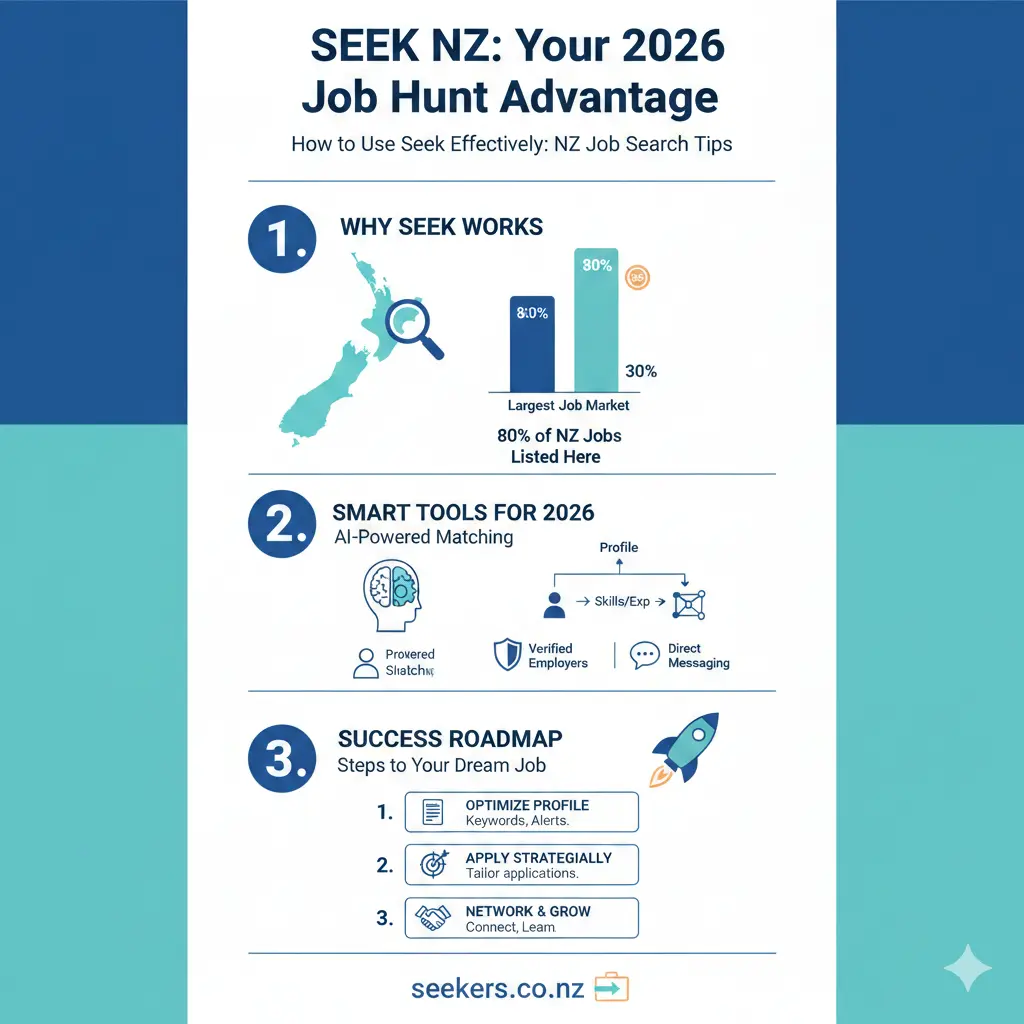
Step 1: Create a Strong SEEK Account and Profile
Head to seek.co.nz in your browser – it works on any device. Click 'Sign In' top-right and select 'Register' if you're new. Enter your email, password, and verify.
Complete your profile fully to boost its 'strength' – this makes you visible to recruiters. Add:
- Work experience: Even if entry-level, uncheck 'no experience' later to edit.
- Skills and categories: Choose from accounting, admin, healthcare, hospitality – pick what fits, like 'Administration & Office Support'.
- Preferences: Full-time, part-time, casual, contract; locations (e.g., remote, Auckland CBD); right to work (NZ citizen/permanent resident); salary expectations aligned with 2026 medians (~$65,000 NZ-wide).
- Resume/CV: Upload a tailored Kiwi-style CV (2 pages max, include KiwiSaver opt-in if relevant).
- Profile visibility: Go with 'Standard' so employers can contact you directly.
A complete profile unlocks recruiter views and personalised job matches – recruiters can message you even if you're not actively applying.
Pro Tip: Verify with SEEK Pass
Securely verify credentials like qualifications or work rights in-app. This builds trust with employers facing high application volumes (up to 175 per job).
Step 2: Master SEEK's Job Search Features
Once logged in, hit 'Job Search'. Enter keywords like 'nurse Auckland' or use everyday language – AI handles it. Select category (e.g., Healthcare), location (suburb, region, or 'Work from Home'), then 'Search'.
Refine with filters:
- Work type: Remote, hybrid, on-site – ideal for Kiwi flexibility post-2025 hybrid boom.
- Salary: Set ranges, e.g., $70k-$90k for mid-level IT in Wellington.
- Date listed: 'Today' for fresh listings amid rising ads.
- Job type: Full-time for stability, casual for tourism spikes in Queenstown.
Save searches for daily alerts – no retyping needed. AI suggests matches based on your profile.
Regional NZ Search Strategies
| Region | Hot Sectors (2026) | SEEK Search Tip |
|---|---|---|
| Auckland/Wellington | Banking (+31%), IT | Filter 100+ apps; target 'hybrid'. |
| Canterbury/Otago | Construction (+13%), Tourism (+10-15%) | Lower competition; add 'South Island'. |
Step 3: Optimise Your Applications on SEEK
Click a job, review details, then 'Apply'. Upload CV or use pre-filled forms – tailor cover letters in-app or from Google Drive/Dropbox. Track views: See if employers opened your app and your interview likelihood.
High-quality apps beat volume – average 175 apps/job in 2025, likely similar now. Customise:
- Address selection criteria (e.g., 'Experience with ACC claims' for admin roles).
- Mention NZ specifics: 'Proficient in IRD compliance' or 'KiwiSaver contributor'.
- Keep cover letters short (300 words), keyword-rich from the ad.
Apply to 5-10 targeted jobs daily; track in a spreadsheet (job title, date applied, follow-up).
AI and Upskilling Edge
Over 50% of employers seek AI skills like data analysis. Highlight prompt engineering or upskilling via free Careers NZ courses in your profile.
Advanced SEEK Tips for Kiwi Job Seekers
Leverage the SEEK App
Download from Google Play/App Store – 5M+ downloads, 4.5 stars. Benefits:
- Pre-filled apps for speed.
- Daily new job alerts.
- Profile updates on-the-go.
- Saved jobs and application tracker.
Network via SEEK Profiles
Share your profile link on LinkedIn or with mates. Employers browse for talent – set visibility right. For WINZ job seekers, link SEEK apps to your MyMSD account.
Salary Negotiation Prep
Use SEEK's salary insights (filter by role/location). Factor 2026 rises: Canterbury wages up with tourism rebound. Check Careers NZ for baselines.
Common Pitfalls and How to Avoid Them
- Generic profiles: 80% weaker matches – complete every section.
- Ignoring alerts: Miss fresh listings in recovering market.
- No tailoring: AI spots mismatches; customise always.
- Outdated CV: Update with 2026-relevant skills like AI tools.
Track everything: Spreadsheet columns for 'Applied', 'Viewed', 'Interview'.
Next Steps to Land Your Dream Job
Today, log into SEEK, optimise your profile to 100% strength, set 3 saved searches for your top sectors, and apply to 5 jobs. Persistence pays – with job ads climbing, 2026 offers real opportunities. Pair SEEK with networking on LinkedIn and upskilling via Careers NZ. You've got this, Kiwi – kia kaha!
Frequently Asked Questions
Sources & References
-
1
How to Apply Seek.com (2026) Find a Job on Seek.com - YouTube — www.youtube.com
-
2
SEEK Jobs & Employment - Apps on Google Play — play.google.com
-
3
Job Search Strategies for 2026 | Career Solutions NZ — www.careersolutions.co.nz
Related Articles

Using Case Converters for Professional NZ Emails
This article references the following sources for accuracy and further reading:

Highest Paying Jobs in NZ 2026: Industries That are Desperate for Staff
If you're considering a career change or planning your next move in the New Zealand job market, you'll want to know where the money is—and more importantly, where employers are actively hiring. The go...

The Perfect NZ CV: A Free Template for 2026 Job Seekers
Your CV is your first chance to impress employers and land that job interview you're after. Whether you're a school leaver, career changer, or experienced professional, having a well-crafted CV tailor...

Best Recruitment Agencies for Tech Jobs in NZ
Searching for your next tech role in New Zealand's buzzing job market? With Kiwi tech hubs like Auckland, Wellington, and Christchurch leading the charge in cloud computing, cybersecurity, and softwar...