Using Case Converters for Professional NZ Emails
This article references the following sources for accuracy and further reading:
The Lifetimes NZ editorial team curates, fact-checks, and updates guides on personal finance, property, health, immigration, legal, business, and lifestyle topics relevant to Lifetimes NZ readers. Articles are produced with AI assistance and reviewed by the editorial team before publication.
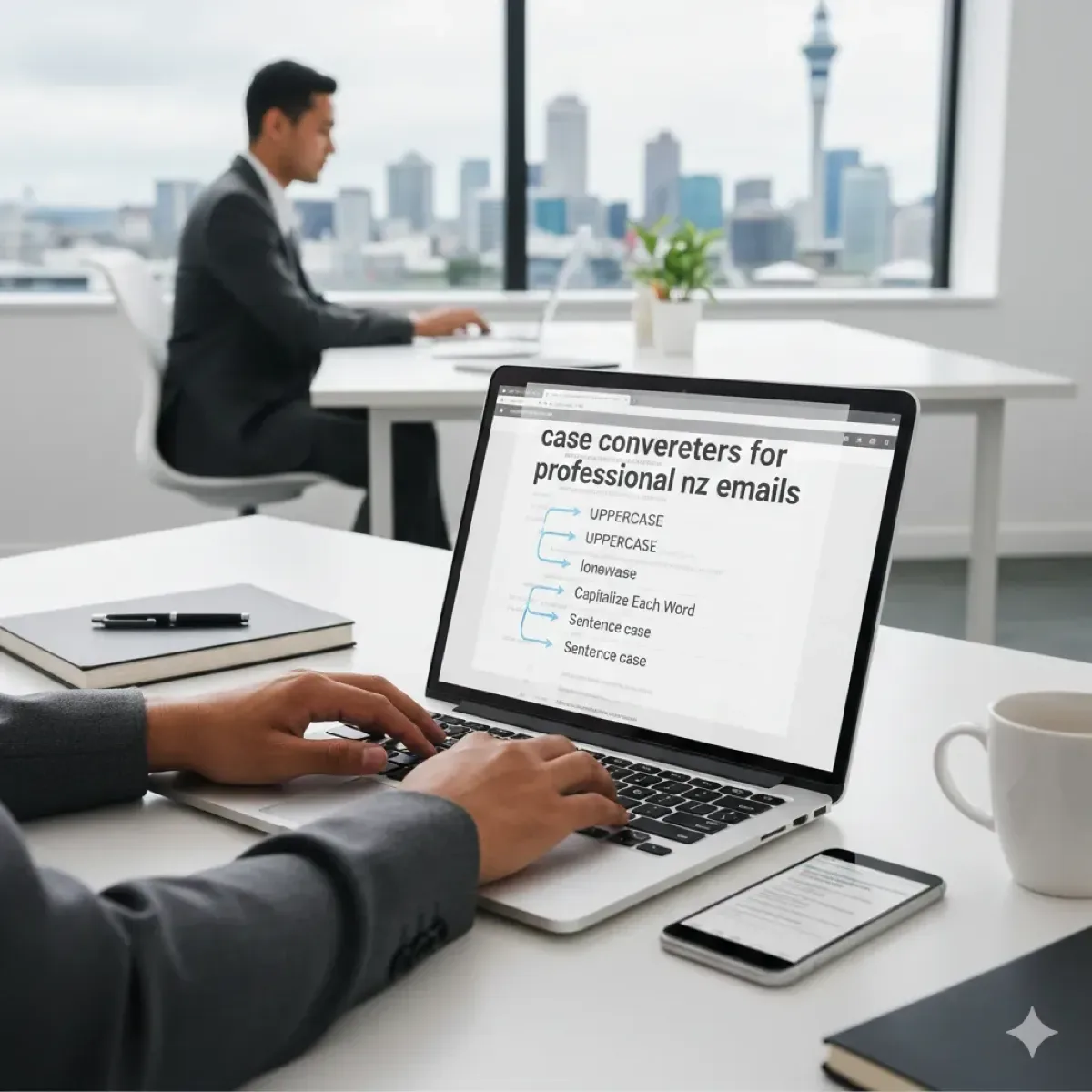
Ever sent an email to a recruiter or potential employer only to realise your subject line screams in ALL CAPS or looks like a jumbled mix of cases? In New Zealand's competitive job market, where first impressions count, getting your email formatting right can make or break your chances. Case converters—simple online tools that instantly adjust text to proper case—are your secret weapon for crafting professional NZ emails that stand out for the right reasons.
With KiwiSaver contributions rising and new workplace laws kicking in from 2026, job seekers need every edge. This guide shows you how to use case converters effectively, aligned with NZ government style guides, to ensure your emails look polished and professional.
Why Text Case Matters in Professional Emails
Proper casing isn't just about aesthetics—it's about readability and professionalism. Shouting in ALL CAPS or using inconsistent cases can make your email hard to read, signalling carelessness to recruiters at firms like Fonterra or Spark.
NZ government standards emphasise sentence case for most content: capitalise only the first word of a sentence and proper nouns, avoiding full capitals as they're tough on the eyes. This applies to emails too, especially when applying for public sector roles via Seek or Trade Me Jobs.
The Risks of Poor Casing in Job Applications
- Perceived unprofessionalism: Recruiters spend seconds scanning emails; mixed case distracts and suggests sloppiness.
- Readability issues: Title Case for headings is fine, but ALL CAPS reduces comprehension by up to 10% in studies on digital text.
- Cultural fit in NZ: Kiwis value straightforward, no-fuss communication—overly formal or erratic casing feels off.
In 2026, with DMARC email security mandates tightening, your emails must not only comply technically but also look legit to avoid spam filters or instant deletes.
What Are Case Converters and How Do They Work?
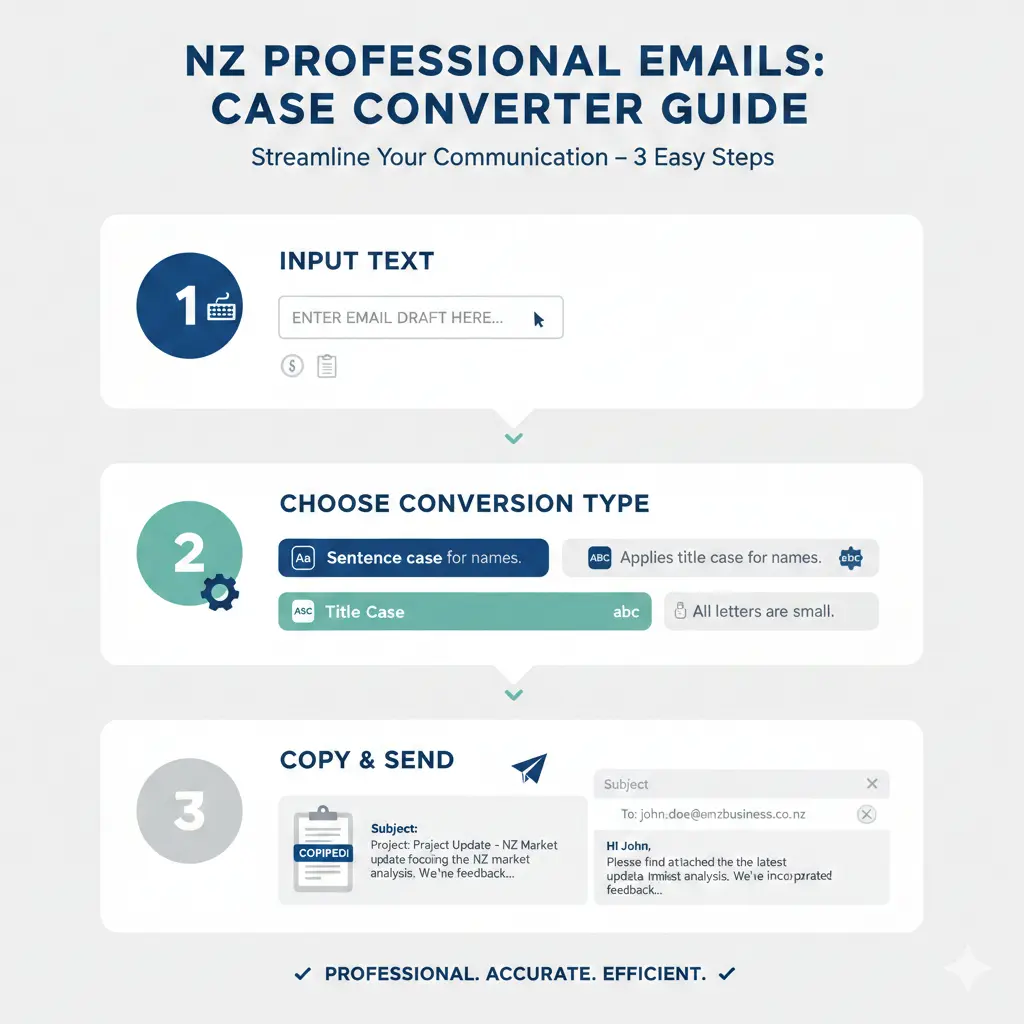
Case converters are free online tools that transform text instantly: from lowercase to uppercase, title case, sentence case, or even alternating cases for fun (but skip those for job emails!). Popular ones include ConvertCase.net, CaseConverter.com, or browser extensions like "Case Switcher" for Chrome.
Here's how they work:
- Paste your text into the tool.
- Select the desired case (e.g., Sentence case for email bodies).
- Copy the output and paste into your email client like Outlook or Gmail.
Pro tip: For te reo Māori names in emails, use title case—capitalise the first letter of proper nouns, including "Te" if first. Tools handle this well, but double-check macrons (don't use in email addresses).
Top Case Converter Tools for Kiwis
| Tool | Best For | NZ-Friendly Features |
|---|---|---|
| ConvertCase.net | Sentence & Title Case | Fast, no login, mobile-optimised |
| TitleCase.com | Headings & Subjects | Handles NZ proper nouns like "KiwiSaver" |
| Google Docs (built-in) | Full docs to email |
NZ Government Guidelines for Email Casing
As a job seeker targeting public sector gigs with MBIE or IRD, follow official style guides. Digital.govt.nz mandates sentence case for headings, titles, and bodies—only proper nouns get capitals. Data.govt.nz echoes this: lower case for general terms, capitals for brands like "Government" when specific.
"Do not capitalise whole words or phrases, as they are hard to read. Capitalise proper nouns."
In 2026, with Secure Government Email (SGE) framework live—mandating DMARC p=reject by October 2025—your emails must align technically and stylistically to reach inboxes at councils or WINZ.
Adapting for NZ Contexts
- Public sector applications: Use sentence case for cover letters emailed to StudyLink or ACC roles.
- Private sector: Title case subject lines like "Application for Marketing Role - Jane Doe".
- Te reo Māori: Title case names (e.g., "Te Rino Kirihimete"), no macrons in addresses.
- Email security tie-in: Poor casing + weak auth risks spam; use converters pre-send, check SPF/DKIM via tools like MX Toolbox.
Step-by-Step: Using Case Converters for Job Emails
Let's apply this to a real Kiwi job hunt scenario: emailing a CV to a recruiter for a KiwiSaver advisor role.
Step 1: Craft Your Subject Line
Raw: "kiwisaver advisor position application from john smith auckland"
Convert to Title Case: KiwiSaver Advisor Position Application from John Smith, Auckland
Step 2: Format the Email Body
Raw greeting: "DEAR HIRING MANAGER,"
Convert to Sentence case: "Dear Hiring Manager,"
Body snippet: Use sentence case for paragraphs, title case for bullet points listing skills like "Expert in IRD Compliance[?]" – wait, link to ird.govt.nz for credibility.
Step 3: Proofread with NZ Tools
- Run through case converter.
- Check against digital.govt.nz style.
- Test email deliverability with DMARC analyser (post-2025 must for govt comms).
Actionable tip: Bookmark a converter extension—saves time during high-volume applications via LinkedIn NZ groups.
Common Mistakes and How to Avoid Them
- ALL CAPS subjects: Feels aggressive; convert to title case.
- Inconsistent casing: Mix of Title and Sentence; standardise with one tool.
- Ignoring te reo: Wrong capitals on "Māori" entities—use title case.
- Overlooking security: With SEEMail retiring 2026, unaligned emails bounce.
For email marketing tie-in (e.g., job alert newsletters), avoid unsolicited sends—fines up to $500,000 under NZ law.
Polish Your Emails and Land That Job
Mastering case converters elevates your emails from ordinary to outstanding, aligning with NZ's professional standards. In a market with Holidays Act reforms and eInvoicing mandates hitting 2026, sharp communication sets you apart.
Next steps:
- Pick a converter tool today and practise on a sample email.
- Review your last five job emails—convert and resend if needed.
- Check email auth at mxtoolbox.com for SGE compliance.
- Visit ird.govt.nz or employment.govt.nz for job resources.
Start converting, and watch your inbox fill with interview invites.
Frequently Asked Questions
Sources & References
-
1
Grammar and punctuation — Digital.govt.nz — www.digital.govt.nz
-
2
DMARC is now mandatory in New Zealand — Duocircle — www.duocircle.com
-
3
Grammar and punctuation — data.govt.nz — data.govt.nz
-
4
New Zealand moves to mandate DMARC enforcement — Redsift Blog — blog.redsift.com
-
5
New Zealand's email security requirements — Valimail — www.valimail.com
-
6
Key NZ Workplace Changes to Prepare for Before 2026 — Employment Hero — employmenthero.com
-
7
Government introduces stronger requirements for eInvoicing — einvoicing.govt.nz — www.einvoicing.govt.nz
-
8
Legal Considerations for NZ Email Marketing — LegalVision — legalvision.co.nz
Useful Tools
Related Articles

Highest Paying Jobs in NZ 2026: Industries That are Desperate for Staff
If you're considering a career change or planning your next move in the New Zealand job market, you'll want to know where the money is—and more importantly, where employers are actively hiring. The go...

The Perfect NZ CV: A Free Template for 2026 Job Seekers
Your CV is your first chance to impress employers and land that job interview you're after. Whether you're a school leaver, career changer, or experienced professional, having a well-crafted CV tailor...

Best Recruitment Agencies for Tech Jobs in NZ
Searching for your next tech role in New Zealand's buzzing job market? With Kiwi tech hubs like Auckland, Wellington, and Christchurch leading the charge in cloud computing, cybersecurity, and softwar...
How to Use Seek & LinkedIn Effectively for the NZ Market
Finding your next job in New Zealand doesn't have to mean endlessly scrolling through job boards hoping something catches your eye. Whether you're a recent graduate, making a career change, or looking...