The Perfect NZ CV: A Free Template for 2026 Job Seekers

Your CV is your first chance to impress employers and land that job interview you're after. Whether you're a school leaver, career changer, or experienced professional, having a well-crafted CV tailor...
Priya writes about immigration pathways, job searching, and building a career in New Zealand. She covers visa options, CV writing, interview preparation, and workplace culture for newcomers and locals alike.
Your CV is your first chance to impress employers and land that job interview you're after. Whether you're a school leaver, career changer, or experienced professional, having a well-crafted CV tailored to New Zealand employers can make all the difference. We've put together this guide to help you create a standout CV using free templates and practical advice that works for Kiwi job seekers in 2026.
Why Your CV Matters in 2026
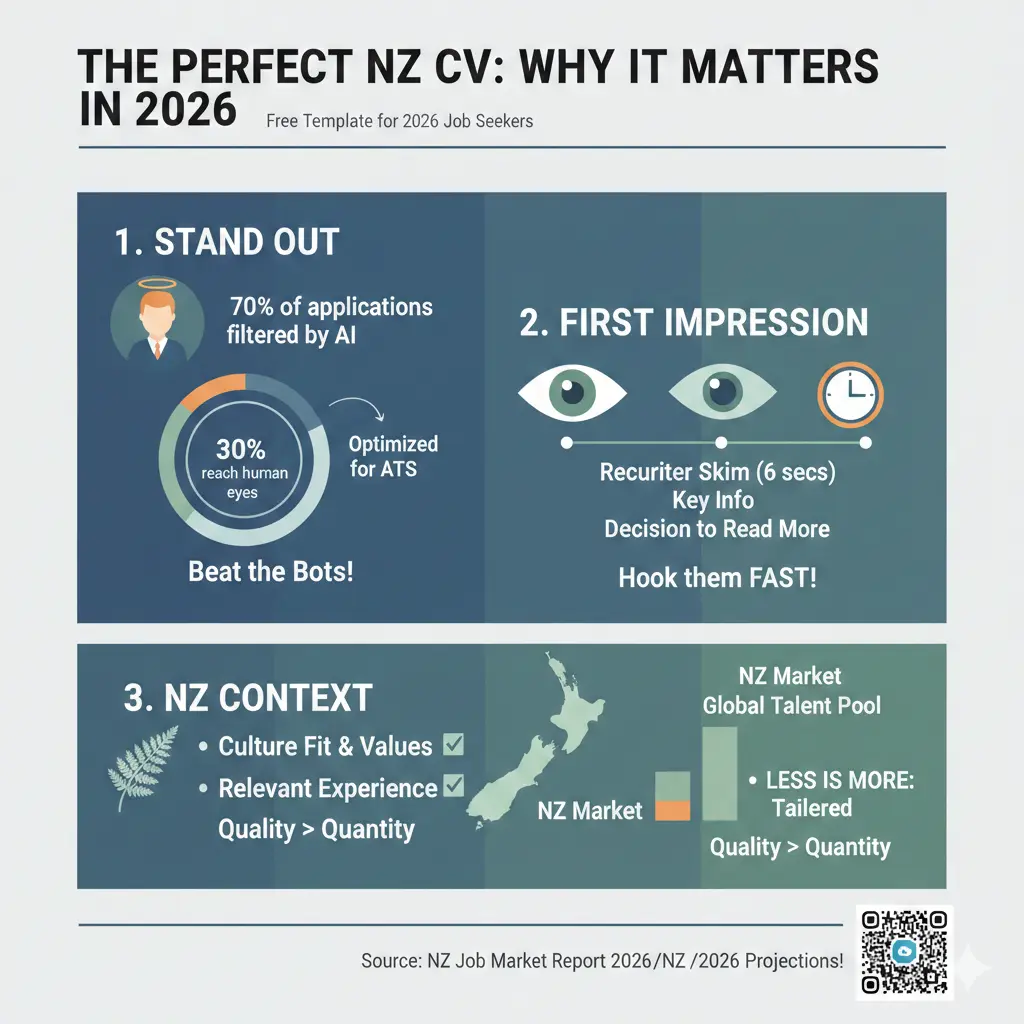
Your CV is often the only thing standing between you and a job opportunity. It's your first impression on employers, so it needs to be clear, professional, and easy to read. In today's job market, many companies use Applicant Tracking Systems (ATS) to scan CVs before a human ever sees them, which means your CV needs to be both visually appealing and strategically formatted.
The good news? You don't need to spend money on fancy CV builders or templates. There are plenty of free, high-quality options available that work brilliantly for New Zealand job seekers.
What to Include in Your NZ CV
Contact Details
Start with your essential information at the top:
- Full name
- Mobile phone number
- Email address
- Where you're based (suburb or city)
You don't need to include your full address, date of birth, or a photo unless the job ad specifically asks for it.
Personal Summary
A brief personal summary (2-3 sentences) helps employers quickly understand your career focus and key strengths. This should highlight your achievements and what you're looking for in your next role. Tailor this for each job you apply for—it makes a real difference.
Work Experience
List your work history in reverse order (most recent first). For each role, include:
- The name of the employer or organisation
- Your job title
- Where the job was located
- Your start and end dates
- Key tasks and achievements using action words like "demonstrated," "led," or "organised"
Don't feel pressured to list your entire work history. It's perfectly fine to keep your CV short and focus on roles relevant to the job you're applying for. If you have gaps in your employment, don't worry—many Kiwis do, and employers understand.
Education and Training
List your qualifications in reverse order (most recent first). Include:
- Qualification name (e.g., Bachelor of Commerce)
- Education provider and location
- Dates completed
If you're a school leaver or recent graduate with limited work experience, include your GPA if it's higher than 3.5, and mention any relevant extracurricular activities or volunteer work.
Skills
This section is crucial, especially if you're changing careers or have limited work experience. Include both technical skills (software, languages, certifications) and transferable skills (communication, leadership, problem-solving). Be honest about your skill level—employers can usually tell if you're exaggerating.
Referees
Prepare a list of 2-3 people who know your work—previous managers, colleagues, or teachers work well. You can write "Referees available on request" unless the job ad specifically asks for details. Always ask permission from your referees before listing them, and give them a heads-up if you're applying for roles.
Additional Sections (Optional)
Depending on your situation, you might include:
- Certifications or professional memberships
- Volunteer experience (especially if it shows transferable skills)
- Conference participation or professional development
- Hobbies and interests (only if relevant to the role)
Choosing the Right CV Template
Skills-Focused vs. Work-Focused
The best template depends on your situation:
- Skills-focused CV: Use this if you're a school leaver, have no work experience, or have gaps in your employment history. It highlights your abilities and what you can do.
- Work-focused CV: Use this if you have solid work experience, want to change jobs, or move to your next career stage. It emphasises your professional journey.
What to Look for in a Template
When choosing a free CV template, keep an eye out for:
- ATS-friendly design: Your CV should work with Applicant Tracking Systems used by many recruiters.
- No hidden fees: Watch out for templates that charge to download or unlock certain formats.
- Templates that fit your situation: Look for simple, clean designs that focus on skills or work experience.
- Customisable AI content: Some templates include AI suggestions, but you need to check the language, spelling, and that it reflects who you are.
Frequently Asked Questions
Sources & References
-
1
How to write a CV - Tahatū Career Navigator — tahatu.govt.nz
-
2
25+ free resume templates for college students - Study New Zealand — studynewzealand.nz
- 3
-
4
Free Online Resume Builder - Canva — www.canva.com
-
5
Best NZ CV Templates, Examples and Tips - MoneyHub — www.moneyhub.co.nz
Related Articles

Using Case Converters for Professional NZ Emails
This article references the following sources for accuracy and further reading:

Highest Paying Jobs in NZ 2026: Industries That are Desperate for Staff
If you're considering a career change or planning your next move in the New Zealand job market, you'll want to know where the money is—and more importantly, where employers are actively hiring. The go...

Best Recruitment Agencies for Tech Jobs in NZ
Searching for your next tech role in New Zealand's buzzing job market? With Kiwi tech hubs like Auckland, Wellington, and Christchurch leading the charge in cloud computing, cybersecurity, and softwar...

How to Use Seek & LinkedIn Effectively for the NZ Market
Finding your next job in New Zealand doesn't have to mean endlessly scrolling through job boards hoping something catches your eye. Whether you're a recent graduate, making a career change, or looking...