GST Registration: When Your Business Must Register

Imagine launching your dream Kiwi business—a cosy café in Wellington or an online store shipping nationwide—only to realise you're tangled in GST red tape because you missed the registration deadline....
Sarah covers personal finance, tax, and KiwiSaver topics for Lifetimes NZ. She focuses on making money management straightforward and practical for everyday Kiwis.
Imagine launching your dream Kiwi business—a cosy café in Wellington or an online store shipping nationwide—only to realise you're tangled in GST red tape because you missed the registration deadline. For many small business owners, this scenario hits hard when turnover creeps up unexpectedly. Understanding exactly when your business must register for GST keeps you compliant with IRD rules, avoids hefty penalties, and lets you claim back input tax credits on purchases.
In New Zealand, GST at 15% applies to most goods and services, forming a cornerstone of our tax system.GST registration becomes mandatory when your turnover hits or is expected to hit NZD 60,000 in any 12-month period. This guide breaks it down step-by-step, with practical tips tailored for Kiwis, from sole traders in Auckland to partnerships in Christchurch.
What is GST and Why Does It Matter for Your Business?
Goods and Services Tax (GST) is a 15% consumption tax added to most supplies in New Zealand. Unlike income tax, it's collected from customers but administered through businesses. If you're selling taxable goods or services—like coffee, clothing, or consulting—you act as a collector for the government.
Registration isn't just a box to tick; it unlocks benefits like reclaiming GST on business expenses (input tax credits). However, once registered, you must charge GST, file returns, and pay what you owe—minus credits. For small operators under the threshold, voluntary registration can professionalise your operation and improve cash flow if expenses are high.
Key GST Rate and Thresholds in 2026
- Standard GST rate: 15% on taxable supplies.
- Registration threshold: NZD 60,000 turnover in the last 12 months or expected in the next 12.
- Filing frequencies: Monthly (over NZD 24 million turnover), two-monthly, or six-monthly (under NZD 500,000).
Turnover means gross revenue from taxable activities, not profit. Track it rolling—any 12 consecutive months—not calendar years.
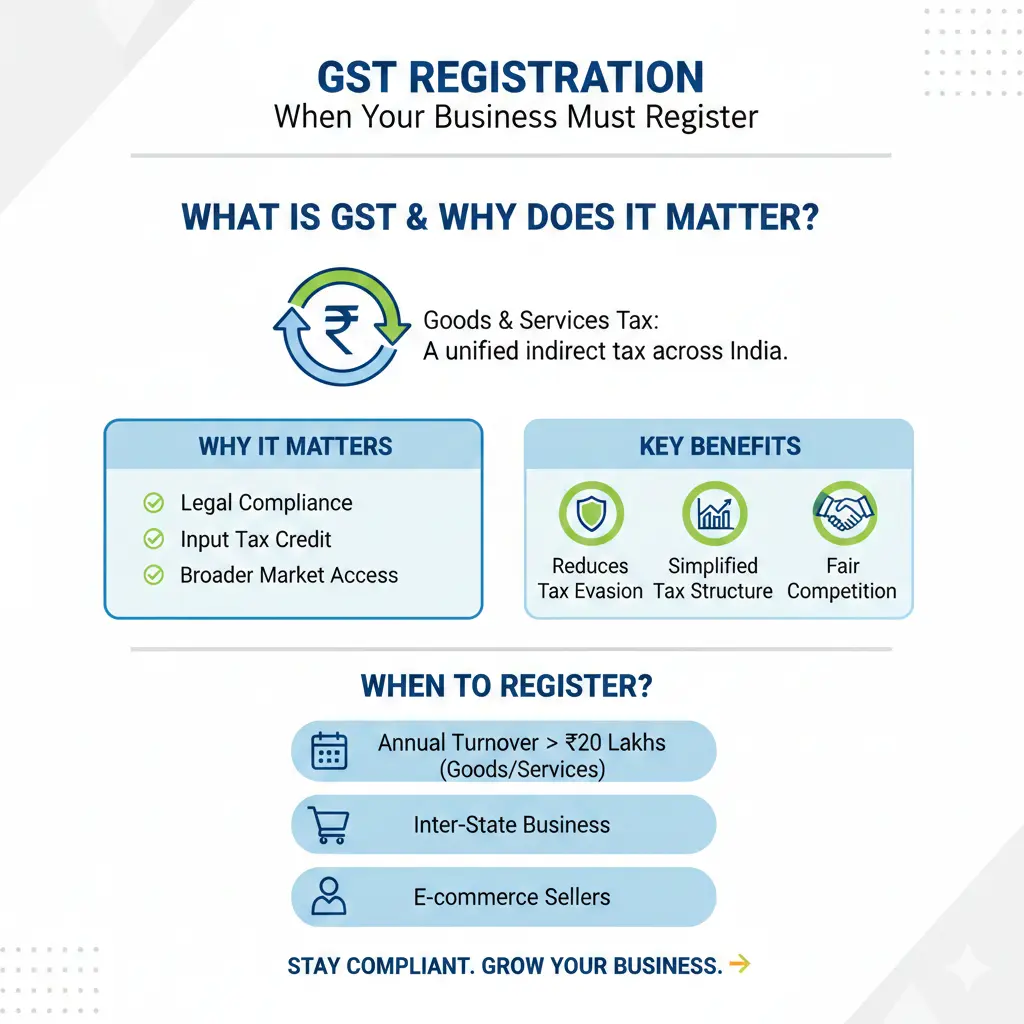
When Must Your Business Register for GST?
You must register if you meet either condition: your turnover hit NZD 60,000 in the past 12 months, you expect it to in the next 12, or you voluntarily add GST to prices. IRD defines a "taxable activity" broadly: supplying goods or services for payment in a business or trade.
Understanding Turnover: What Counts?
Calculate turnover from all taxable supplies to NZ customers, including:
- Goods sold domestically or exported (zero-rated if truly exported).
- Services provided to Kiwi consumers.
- Digital products for non-GST-registered buyers.
Example: Sarah runs a freelance graphic design business from Dunedin. In February 2026, her rolling 12-month turnover reaches NZD 61,000 from client projects. She must register immediately, even if monthly income varies.
Foreign businesses supplying remote services to Kiwis face the same NZD 60,000 threshold based on NZ sales.
Voluntary vs Mandatory Registration
| Type | When to Choose | Pros | Cons |
|---|---|---|---|
| Mandatory | Turnover ≥ NZD 60,000 | Compliance; claim inputs | Obligation to charge/file/pay |
| Voluntary | Under threshold, high expenses | Reclaim GST on purchases; look established | Admin burden; price adjustments |
Voluntary suits expense-heavy businesses like construction. But avoid if revenue is low and inputs minimal—extra work without refunds.
How to Register for GST: Step-by-Step Guide
Registration is straightforward via myIR, IRD's online portal. It typically takes 10 working days for approval.
Prepare Your Documents
- IRD number: Get one if you don't have it (sole traders use personal).
- Business bank account: For refunds.
- Turnover estimates: Past 12 and next 12 months.
- BIC code: Find via IRD's tool (e.g., 4651 for clothing retail).
- Filing frequency: Choose based on size.
Complete the myIR Application
Log into myIR. Select "Register a new tax type" > GST. Enter details, review, and submit. You'll receive a GST number and start date upon approval—use this on invoices.
"Once approved, IRD sends confirmation with your GST number and official start date—the point from which you legally charge GST."
Common Pitfalls to Avoid
- Delaying past threshold: IRD can backdate, leading to retrospective payments.
- Incorrect details: Double-check IRD number, bank info, BIC.
- Charging GST pre-approval: Refund customers or adjust dates.
- Ignoring contracts: A big deal pushing you over NZD 60,000 triggers immediate registration.
What Happens After GST Registration?
Post-registration, charge 15% GST on taxable sales. Update invoices to "tax invoices" showing GST breakdown and your GST number.
Accounting Basics: Payments and Returns
Choose your basis:
- Payments basis: Common for small businesses—GST on cash received/paid.
- Invoices basis: For larger ops—on invoice date.
File returns per frequency, paying net GST (collected minus paid). Use GST-inclusive pricing formula: GST-exclusive price × 1.15.
Kiwi Example: Mike's Auckland plumbing firm registers voluntarily. He reclaims GST on tools (input credits), offsetting GST charged to homeowners.
Zero-Rated and Exempt Supplies
Not everything attracts GST:
- Zero-rated (0%): Exports, certain food, financial services.
- Exempt: Residential rent, salary.
Special Rules for Common Kiwi Businesses
Sole Traders and Partnerships
As a sole trader, use your personal IRD number. Partnerships register once collectively. Track turnover simply via bank statements or Xero.
Online Sellers and E-commerce
Marketplaces like Trade Me? Your NZ sales count toward NZD 60,000. Foreign digital providers (streaming, apps) register if selling to Kiwis over threshold.
Foreign Businesses Supplying NZ
Non-residents register for NZ-taxable supplies over NZD 60,000. Simplified six-monthly filing for some digital services, no input claims.
Penalties for Non-Compliance
IRD takes GST seriously. Late registration? Backdating plus penalties up to 150% of tax shortfall. Keep records for 7 years. Use tools like Xero or MYOB for compliance.
Next Steps to Stay GST Compliant
Monitor turnover monthly with a simple spreadsheet. Log into myIR today to check status or register. Integrate accounting software for auto-calculations. This isn't financial advice—consult an IRD-registered tax agent or accountant for your situation, especially with KiwiSaver, ACC, or WINZ interactions.
Staying ahead of GST registration protects your business, boosts cash flow, and builds trust with Kiwi customers. Head to IRD's GST page now.
Frequently Asked Questions
Sources & References
-
1
GST in New Zealand: Rate, filing requirements and deadlines — newzealand.acclime.com
-
2
How to register for GST in New Zealand — stripe.com
-
3
Registering for GST — www.ird.govt.nz
- 4
-
5
How To Register For GST In NZ | Sole Traders & Partnerships — www.youtube.com
-
6
New Zealand: Clarification on GST Registration Date Requirements — www.globalvatcompliance.com
- 7
-
8
New Zealand - Corporate - Other taxes — taxsummaries.pwc.com
-
9
Tax registration for new companies - IRD, Employer, GST — companies-register.companiesoffice.govt.nz
Related Articles

Industry Bodies and Professional Associations NZ
Whether you're launching a business, advancing your career, or navigating financial regulations, industry bodies and professional associations in New Zealand offer invaluable support. These organisati...

Emergency Benefit NZ: When You Have No Other Options
When you're struggling financially and don't qualify for other benefits, the Emergency Benefit might be your lifeline. It's a discretionary payment designed for Kiwis in genuine hardship who've exhaus...

Unpaid Internships NZ: Are They Legal?
Unpaid internships are a common pathway for students and graduates to gain work experience in New Zealand, but there's often confusion about whether they're actually legal. The short answer is: unpaid...

Estate Administration NZ: Managing Someone's Affairs After Death
Losing a loved one is one of life's toughest challenges, and stepping in to manage their estate can feel overwhelming. In New Zealand, estate administration—the process of handling someone's affairs a...